
Tired of your main inbox getting buried under spam? A disposable email is a temporary, throwaway address you use for one-time online tasks. It keeps your real email private, prevents spam, and requires no long-term commitment. These services create an instant inbox that self-destructs after use, making them perfect for verifying accounts, downloading files, or accessing gated content without risking your primary email security or clutter.
Key Takeaways
- Core Purpose: Disposable email addresses are temporary inboxes designed for short-term, low-stakes online interactions to shield your primary email from spam and data collection.
- Instant & Anonymous: They require no registration, password, or personal details, generating a valid email address and inbox in seconds for immediate use.
- Ideal Use Cases: Perfect for account sign-up verification, downloading whitepapers, accessing forum content, or any situation where you distrust the website’s email practices.
- Self-Destructing Nature: These addresses and their contents are automatically deleted after a set period (often hours or days) or upon inbox closure, leaving no trace.
- Not for Important Accounts: Never use a disposable email for critical services like banking, primary social media, or work communications, as you will lose access permanently.
- Security & Limitations: While they hide your identity from the recipient, the provider itself can see emails. They also often block from high-security platforms and cannot receive attachments.
- Tool for Privacy, Not Anonymity: They are a privacy tool to manage your digital footprint, not a tool for illegal activity or complete online anonymity.
📑 Table of Contents
- What Exactly Is a Disposable Email?
- Why Would Anyone Need This? The Top Use Cases
- How to Use Disposable Email: A Step-by-Step Guide
- Choosing the Right Disposable Email Service
- Security and Privacy: The Critical Caveats
- Alternatives and When You Shouldn’t Use Temp Mail
- The Future of Disposable Email and Digital Privacy
What Exactly Is a Disposable Email?
Imagine you’re at a crowded public event, and someone asks for your home address to mail you a free sample. You’d likely hesitate. You’d wonder: What will they do with it? Will I be flooded with catalogs? That same hesitation happens online every time a website asks for your email address. This is where the concept of a disposable email—often called temp mail or throwaway email—becomes your digital equivalent of giving a P.O. box instead of your home address.
A disposable email is a temporary, randomly generated email address provided by a specialized service. Its sole purpose is to be used once or twice for a specific, minor online task and then discarded. You don’t set up an account; you don’t create a password. You simply visit a website like Temp-Mail or 10MinuteMail, and it instantly provides you with a working email address and a linked, web-based inbox. That inbox exists for a predetermined short time—sometimes 10 minutes, sometimes 24 hours, sometimes a few days—after which the address and all its emails vanish into the digital ether.
The philosophy behind it is simple: your primary email address is a key part of your online identity. It’s linked to your bank accounts, social media, professional networks, and personal contacts. Every time you hand it out, you increase the risk of it being sold to data brokers, targeted by spammers, or compromised in a data breach. A disposable email acts as a shield, a sacrificial buffer between your real identity and the vast, often predatory, ecosystem of the internet.
The Anatomy of a Temp Mail Service
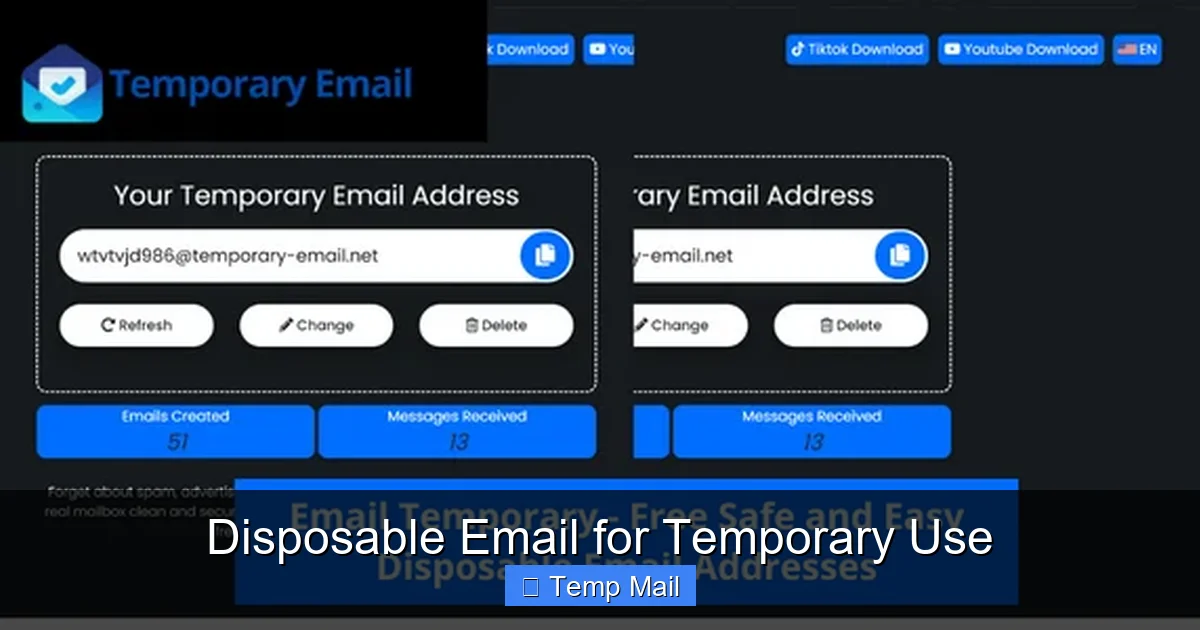
These services are elegantly simple in their operation. When you land on a provider’s homepage, you are immediately assigned a random email address, such as [email protected]. Beside it, you’ll see a prominent button to “Open Inbox” or “Check Mail.” Clicking that takes you to a web interface that functions just like any other webmail service (like Gmail or Outlook), but with critical differences.
There is no login screen. The inbox is tied directly to that specific browser session or a unique, temporary token. If you close the tab and lose that token, you typically cannot reopen that exact inbox. The emails received—usually the verification code you were waiting for—appear in a list. You can read them, click any contained links, and copy codes. Once you’ve completed your task (e.g., verified your account), you can simply close the browser. The service’s timer starts counting down the lifespan of that address. After the time expires, the server purges that address and all its data, making it unavailable forever. A new visit to the site gets you a brand new, different address.
Why Would Anyone Need This? The Top Use Cases
The utility of a disposable email isn’t about hiding malicious intent; it’s about practicing smart, defensive digital hygiene. Here are the most common and legitimate scenarios where these tools shine.
Visual guide about Disposable Email for Temporary Use
Image source: profitable-business.net
1. Dodging the Spam Tsunami After Sign-Ups
This is the #1 reason people seek out temp mail. You want to download a useful PDF guide, sign up for a webinar, or get a discount code from an e-commerce site. The fine print says you must subscribe to their newsletter. You know that newsletter will likely become weekly spam. Using your primary email means you’ll either have to manually unsubscribe later (a chore) or watch your important emails get buried. A disposable email lets you get the immediate reward (the file, the code) and then walk away, leaving the spam to die with the temporary address.
2. Bypassing “Email Walls” on Content
How many times have you clicked on a promising article only to be stopped by a pop-up demanding your email to “continue reading”? These “content gates” are aggressive lead-generation tactics. A disposable email lets you instantly bypass that wall, read the content you wanted, and never hear from that publisher again. It’s a way to reclaim your attention and your inbox from aggressive marketing.
3. Testing Services and Apps Anonymously
Are you a developer testing a new app’s email verification flow? A marketer trying to see what kind of follow-up emails a competitor sends? Or just a curious user wanting to explore a new platform without creating a permanent identity? A temp mail address is perfect for this. You can complete the sign-up, see the verification email, and test the onboarding sequence without using your real information or cluttering your main accounts.
4. Protecting Your Identity on Public or Shared Computers
Using a library computer or a hotel business center? Logging into any personal account on a machine you don’t own or trust is risky. If you need to quickly register for something on such a device, a disposable email ensures that no trace of that specific account (and its associated password reset links) is tied to your real email. The temporary address and its inbox will vanish, reducing the risk of someone later accessing your data from the browser cache.
5. Avoiding Data Mining and Profile Building
Every email address you use is a data point. Companies build profiles by linking your email to your browsing behavior, purchases, and location. By using a different, unlinked disposable email for each minor interaction, you fragment your digital footprint. You make it much harder for any single entity to build a comprehensive, accurate profile of *you*. It’s a small but effective act of data obfuscation.
How to Use Disposable Email: A Step-by-Step Guide
Using these services is intentionally frictionless. Here’s a practical walkthrough of a typical user journey.
Visual guide about Disposable Email for Temporary Use
Image source: image.winudf.com
Step 1: Find a Provider. A quick search for “temp mail” or “disposable email” will yield dozens of options. Popular, reliable ones include Temp-Mail, 10MinuteMail, Guerrilla Mail, and MailDrop. You don’t need to download software; they are web-based.
Step 2: Generate Your Address. Navigate to the provider’s website. Within seconds, a random email address will be displayed prominently on the page. Often, you can click a button to generate a new random address if you don’t like the first one (some allow domain selection).
Step 3: Copy and Use. Highlight the provided email address and copy it. Then, paste it into the sign-up or contact form on the website you’re visiting. Proceed with the process as normal.
Step 4: Wait for the Verification Email. Instead of checking your primary inbox, switch back to the temp mail provider’s tab. You’ll see a notification or a new email appear in the inbox list within a minute or two. Click on it to view the contents.
Step 5: Extract the Code/Link and Complete the Task. Inside the email, you’ll find the verification code or the confirmation link. Copy the code or click the link (which may open in a new tab). Paste the code into the original website’s verification field to complete the sign-up. If it’s a link, you may be automatically verified.
Step 6: Close and Forget. Once you’ve downloaded your file or verified your account, you can simply close all tabs related to the temp mail service. There is no “logout” or “delete account” button. The service will automatically delete the inbox after its timer expires (often visible on the page). You are done.
Pro-Tips for a Smooth Experience
- Keep the Inbox Tab Open: Some services refresh the inbox automatically, but others require you to manually click “Check Mail.” Keep the tab open and occasionally refresh it while waiting for the email.
- Beware of Time Limits: If you’re using a “10-minute mail” service and the verification process takes longer, your inbox might disappear before the email arrives. For tasks that might take longer (like a delayed email from a customer support team), opt for a service with a longer lifespan, like 1-hour or 24-hour options.
- Use a Unique Address Each Time: For maximum privacy fragmentation, generate a new disposable email for every new website or service. Don’t reuse the same temp address across multiple platforms.
- Don’t Expect Attachments: The vast majority of disposable email services block incoming attachments for security reasons. They are for text-based verification emails only.
- Copy Carefully: The email address can be long and random. Ensure you copy the entire thing without truncation.
Choosing the Right Disposable Email Service
Not all disposable email providers are created equal. While they share a core function, differences in usability, features, and reliability exist. Here’s what to consider when choosing one.
Visual guide about Disposable Email for Temporary Use
Image source: paced-email.imgix.net
Key Features to Look For
Inbox Lifespan: This is the most critical factor. Services range from 10 minutes to 48 hours. For quick email verifications (most common), 10-30 minutes is sufficient. If you need to receive a password reset or a support response that might take hours, look for a 1-hour or 24-hour service. Some even offer “permanent” temporary inboxes that last until you manually delete them, but this defeats the “disposable” principle.
Domain Variety: Some providers offer multiple domain names (e.g., @tempmail.net, @tmpmail.org, @dispostable.com). This is useful if a particular website blocks emails from known disposable domains. You can switch to a different domain from the same service to bypass the block.
User Interface & Speed: The inbox should load quickly and be easy to read. A cluttered, ad-heavy site can be frustrating. Look for a clean, minimal interface that focuses on the task.
No Captcha or Registration: The entire point is speed and anonymity. A good service should never ask you to solve a captcha to generate an address or, worse, create an account. If it does, move on.
Browser-Based vs. Browser Extension: Most are simple websites. Some also offer browser extensions (for Chrome, Firefox) that place a small icon in your toolbar. Clicking it instantly generates a new address and opens a pop-up inbox, streamlining the workflow for frequent users.
Popular Providers Compared
- Temp-Mail: One of the most popular. Offers a 24-hour inbox lifespan by default, multiple domains, and a clean interface. It also has a browser extension. Very reliable for most use cases.
- 10MinuteMail: The classic. The address lasts exactly 10 minutes, with a clear countdown timer. Perfect for the fastest, most impulsive sign-ups. Simple and no-frills.
- Guerrilla Mail: Offers a bit more control. You can choose your inbox duration (up to 60 minutes) and even select from a list of domains. It also allows you to send a limited number of emails *from* the disposable address, a rare feature.
- MailDrop: Very minimalist. Inboxes last for a variable time (often several hours) as long as you are actively using them. It’s known for being lightweight and fast.
Security and Privacy: The Critical Caveats
While disposable email is a powerful privacy tool, it’s not a magic cloak of invisibility. Understanding its limits is crucial for using it safely and effectively.
What It Protects You From
A disposable email excels at protecting your primary email address from:
Spam: Marketing emails and newsletters are sent to the temporary address, which dies soon after.
Data Breaches: If the website you signed up for suffers a breach, the leaked database contains your temp address, not your real one. Your primary accounts remain safe.
Unwanted Tracking: It prevents a website from easily linking that specific sign-up activity to your permanent online identity.
Clutter: Your main inbox stays clean for important personal and professional communications.
What It Does NOT Protect You From
The Provider Itself: The disposable email service can see every email that passes through its system. While reputable services have privacy policies not to log or sell content, you are inherently trusting a third party with your temporary communications. Do not send sensitive personal data (like scans of IDs, financial info, or confidential documents) via a disposable email, even to a seemingly legitimate recipient.
Advanced Tracking: If you use a disposable email on a site where you are already logged in with your real identity (e.g., while logged into your Google account on the same browser), sophisticated trackers can still correlate the activity through browser cookies and other fingerprinting techniques. The email is just one data point.
Illegal Activity: These services are not designed for, nor should they be used for, fraud, harassment, or any unlawful purpose. While they provide a layer of separation, law enforcement can typically obtain logs from the provider with a legal request. Using a tool for illegal acts does not make you anonymous.
Account Recovery: This is the biggest pitfall. If you use a disposable email to sign up for a service you later care about (like a social network or cloud storage), you will be locked out forever if you forget your password. The “forgot password” link will send a reset to an address that no longer exists. Never use disposable email for any account you might need to access long-term.
Alternatives and When You Shouldn’t Use Temp Mail
A disposable email is a specific tool for a specific job. Sometimes, other solutions are better.
The Dedicated “Spam” Email Address
Before disposable emails were so prevalent, the standard advice was to create a separate, free email account (e.g., a new Gmail address) to use for all online sign-ups and shopping. This keeps spam contained to one inbox you occasionally check. This is still a good strategy if you want a semi-permanent buffer that you control (you can log in anytime, set up filters, etc.). It’s more work than a temp mail but more reliable for services you might use sporadically over months.
Email Aliasing Services
Services like SimpleLogin, AnonAddy, or DuckDuckGo’s Email Protection take the concept further. They create unique, forwardable email aliases (e.g., [email protected]) that forward to your real inbox. You can disable an alias at any time, stopping all future emails from that sender. The advantage over disposable email is that the emails *do* reach your main inbox, so you don’t have to juggle multiple inboxes. It’s a more integrated, long-term privacy management system.
When to Avoid Disposable Email Altogether
- Financial Services: Banks, PayPal, investment platforms require a permanent, verifiable email for security, statements, and legal compliance.
- Primary Communication: Your main email, work email, or any email you give to close friends and family.
- Government & Official Services: Tax agencies, DMV, or any official citizen portal will require a stable email for records.
- Critical Software & Subscriptions: For paid software licenses, streaming services (Netflix, Spotify), or cloud storage (Dropbox), you need a recoverable email.
- When the Site is Trustworthy & You Want Engagement: If it’s a newsletter you genuinely want to read from a brand you trust, use your real email. Good communication is a two-way street.
The Future of Disposable Email and Digital Privacy
The rise of disposable email is a direct symptom of a broken email ecosystem. Email, designed as an open, trusted communication protocol, has been weaponized for spam, surveillance, and relentless marketing. As data privacy concerns grow among the public, tools that give users granular control over their digital identity—like disposable email and aliases—will become standard practice, not a niche hack.
We may see these services become more integrated. Browser developers might build native “temporary email” generators into their privacy suites. Operating systems could offer them as part of their credential managers. The demand is clear: people want to interact online without surrendering their permanent identity for every minor transaction.
Ultimately, adopting a mindset of “email compartmentalization” is key. Your primary email is for your real life: family, friends, important bills. Use a disposable email for the noisy, commercial, and low-stakes corners of the web. For everything in between, consider a dedicated secondary address or an aliasing service. This layered approach is the modern, responsible way to manage your online presence, reduce spam, and reclaim a tiny piece of your digital autonomy. A disposable email isn’t the end-all solution, but it’s an incredibly effective first line of defense in a world that constantly asks for your email address.
Frequently Asked Questions
Is using a disposable email legal?
Yes, using a disposable email address is completely legal. These services are legitimate businesses. However, using them to fraudulently sign up for services, evade bans, or commit illegal activities is, of course, illegal. Always abide by the Terms of Service of the website you are visiting.
Can a disposable email be traced back to me?
Not directly through the email address itself, as it contains no personal information. However, the disposable email provider technically has logs linking the temporary address to your IP address and browser session for the duration of its use. Reputable providers claim not to store this data long-term after the inbox expires, but absolute anonymity cannot be guaranteed.
How long does a disposable email last?
It varies significantly by provider. Some last only 10 minutes (10MinuteMail), others 1 hour, and some like Temp-Mail offer 24-hour inboxes. The countdown is usually displayed on the page. Once the time expires, the address and all its emails are permanently deleted from the server.
Can I send emails from a disposable address?
Most disposable email services are receive-only to prevent abuse for spam. A few, like Guerrilla Mail, offer limited sending capabilities (often with strict limits and no attachments). For the vast majority of use cases—receiving a verification code—sending is not required or available.
Why would a website block disposable emails?
Websites block known disposable email domains to fight spam, fraud, and abuse. They want real users with real email addresses for legitimate communication, marketing, and account security (like password resets). They see temp mail as a tool for creating fake or throwaway accounts, which can be used for spam, scraping, or evading bans.
What’s the best alternative to a disposable email?
The best alternative depends on your need. For a semi-permanent buffer you control, create a dedicated secondary email address (e.g., a separate Gmail). For a more advanced, integrated solution that forwards to your main inbox, use an email aliasing service like SimpleLogin or AnonAddy. These allow you to disable aliases later, stopping spam at the source while keeping all emails in your primary inbox.
Leave a Reply