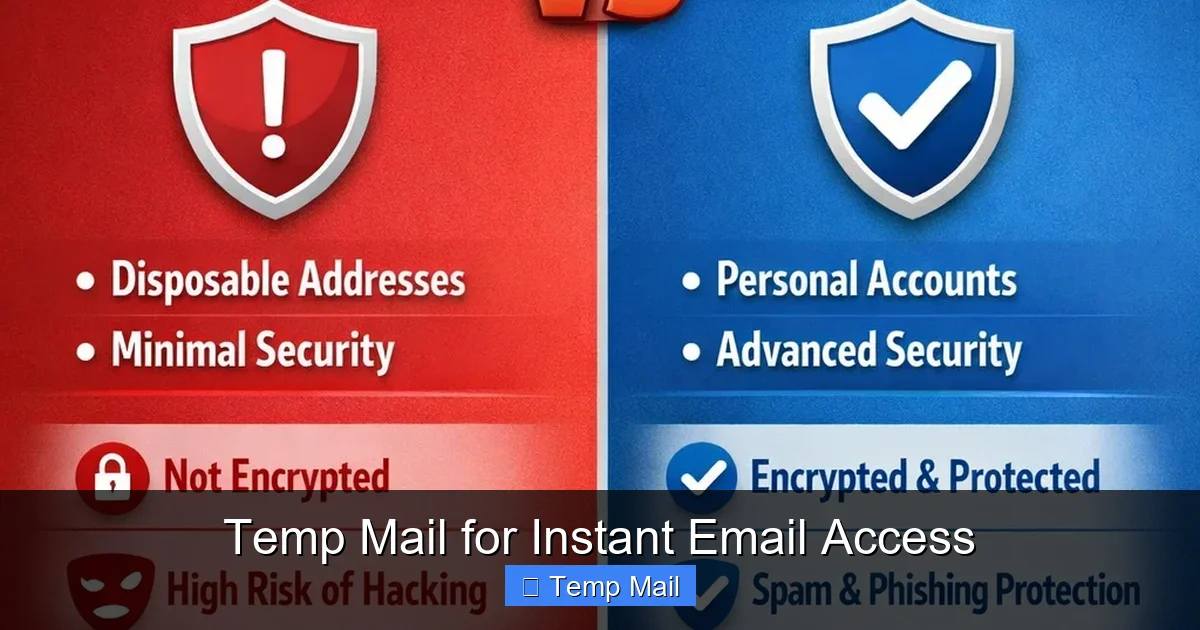
Temporary email services provide you with a short-lived, disposable email address designed to protect your primary inbox from spam, tracking, and potential data breaches. By using these anonymous addresses for sign-ups, downloads, and untrusted websites, you create a vital privacy barrier, significantly reducing your digital footprint and enhancing your overall internet security with minimal effort.
Let’s have a real talk about your email inbox. That little digital mailbox you check every single day? It’s a goldmine. For you, it’s a lifeline to friends, family, work, and bills. But for a vast, shadowy network of data brokers, spammers, and hackers, it’s prime real estate. Every time you sign up for a new app, download a free ebook, or comment on a forum, you’re handing over the keys to that goldmine. What if you had a spare key? A decoy key that you could throw away the moment you were done with it? That’s the powerful, simple idea behind temporary email for secure internet access. It’s not a magic shield, but it’s one of the most effective, low-effort tools in your privacy toolkit.
We live in an age of data harvesting. Your email address is often the first piece of personal information (PII) you surrender online. It becomes a thread that, when pulled, can unravel a tapestry of your online behavior, interests, and even connections. This article isn’t about fear-mongering; it’s about practical empowerment. We’re going to dive deep into how disposable email addresses work, exactly how they contribute to a more secure and private browsing experience, and—critically—how to use them wisely without shooting yourself in the foot. Think of this as your friendly, comprehensive guide to building a smarter, more anonymous digital footprint, one temporary inbox at a time.
Key Takeaways
- Privacy Shield: A temporary email acts as a protective buffer, preventing your real email address from being collected by marketers, hackers, or untrustworthy websites.
- Spam Combatant: Its primary function is to eliminate spam at the source; once the temporary inbox is closed, all associated unwanted mail vanishes permanently.
- Risk Mitigation: It minimizes exposure to phishing attacks, data breaches, and credential stuffing by ensuring your primary credentials are never linked to low-trust services.
- Simple & Instant: No registration or personal details are needed. A new, secure email address is generated in seconds, requiring zero setup.
- Limited Scope: These addresses are not for secure communications, important accounts, or password recovery. They are tools for one-time interactions, not long-term identity.
- Not Encryption: Temporary email provides anonymity, not end-to-end encryption. Sensitive conversations should always use a secure, encrypted email service.
📑 Table of Contents
- Understanding the Core Concept: What Exactly Is a Temporary Email?
- How Temporary Email Directly Enhances Your Online Security and Privacy
- Practical Scenarios: When and How to Use a Temporary Email
- Choosing a Temporary Email Provider: Key Features to Look For
- Critical Limitations and Risks: What Temporary Email CAN’T Do
- Best Practices for Safe and Effective Use
- The Evolving Landscape and Future of Digital Anonymity
Understanding the Core Concept: What Exactly Is a Temporary Email?
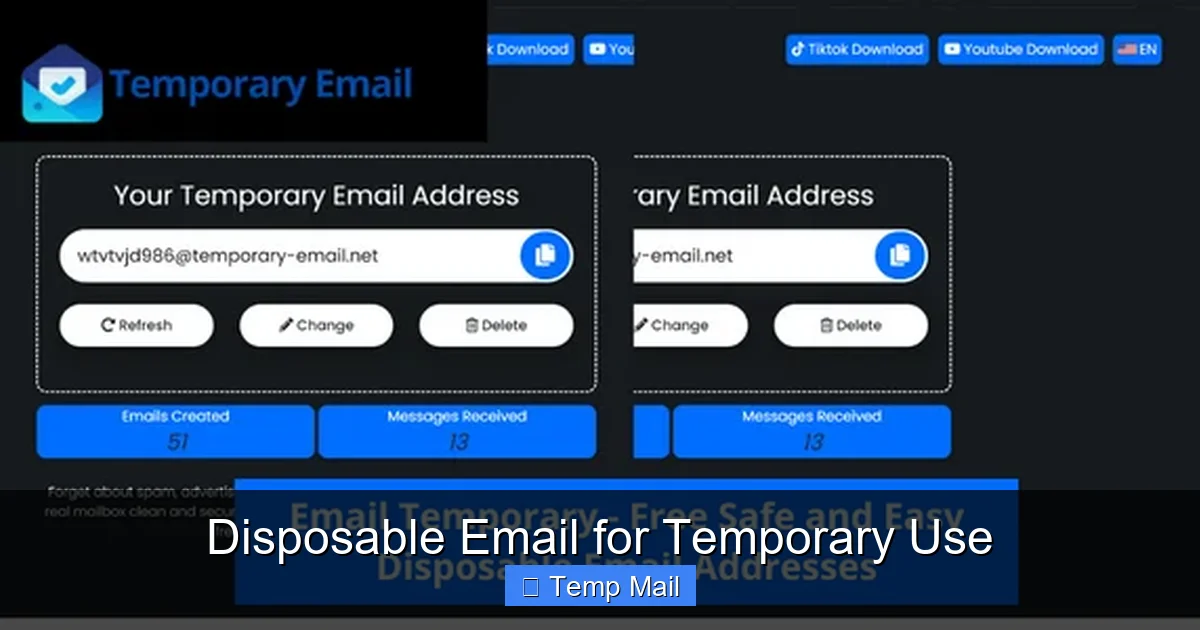
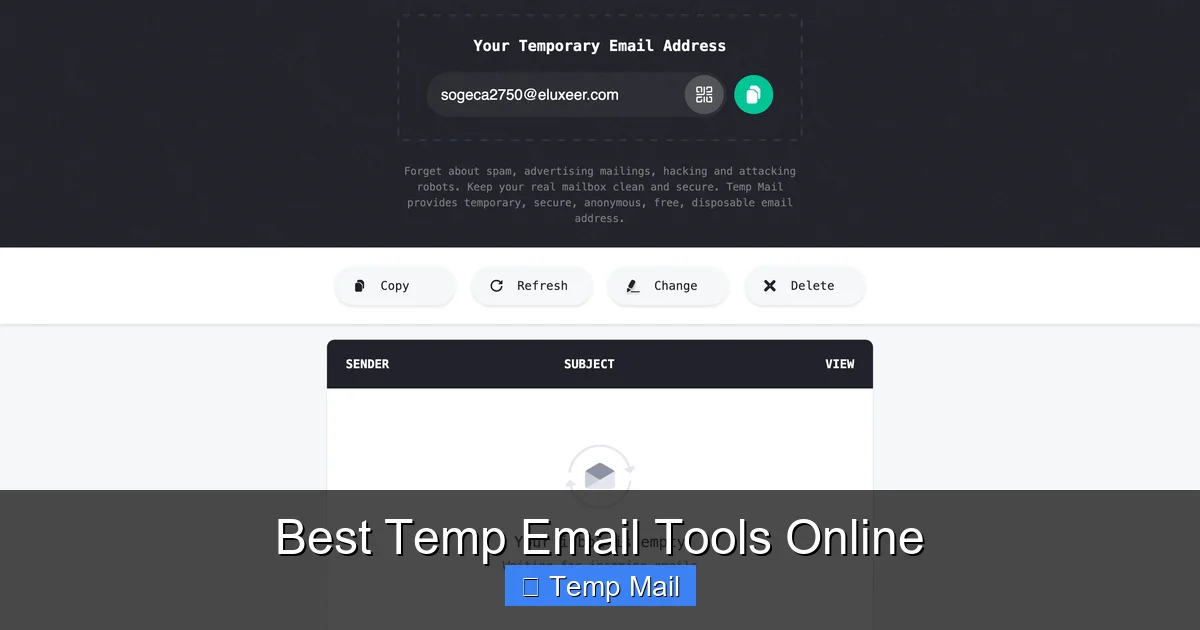
At its heart, a temporary email service is a web-based platform that generates a random, unique email address for you to use… well, temporarily. These addresses typically exist for a short, predefined period—from 10 minutes to 48 hours—or until you manually delete them. The interface is usually a simple inbox view that automatically refreshes to show incoming mail. There’s no password, no username you have to remember, and no personal details required during creation.
The Disposable Mindset: A Tool, Not a Replacement
It’s crucial to understand from the outset that a temporary email is a specialized tool, not a full-time replacement for your primary email. Its purpose is transactional anonymity. You use it for a specific, low-stakes interaction and then abandon it. This “disposable” philosophy is directly opposed to the persistent identity that services like Gmail or Outlook build, where your address becomes a lifelong digital ID linked to countless accounts. The temporary address has no history, no connections, and no value once its short lifespan expires. This inherent lack of persistence is its greatest security feature.
How the Mechanics Work Under the Hood
These services operate on a simple technical model. They own a large pool of domain names (like tempmail.example or 10minutemail.com). When you visit their site, their system randomly assigns you an inbox at one of these domains (e.g., [email protected]). Any email sent to that address is routed to their servers and displayed in the browser window you have open. Once the time limit is up or the inbox is cleared, that specific address is recycled and made available to the next user. The service provider retains no logs linking the address to your IP address or session, ensuring a clean break. This automated recycling is what keeps the service free and maintainable.
How Temporary Email Directly Enhances Your Online Security and Privacy
Now, let’s connect the dots between that disposable address and tangible security benefits. The link is all about data minimization and attack surface reduction. The fewer places your real email appears, the smaller the target you present.
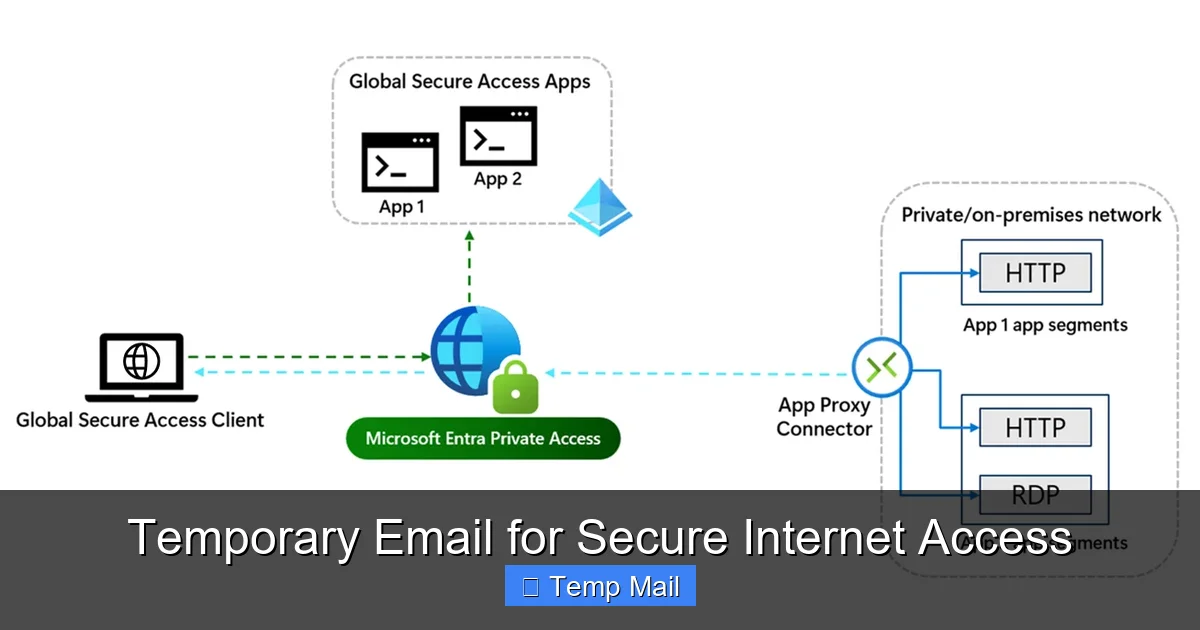
Visual guide about Temporary Email for Secure Internet Access
Image source: learn.microsoft.com
1. The First Line of Defense Against Spam and Data Harvesting
This is the most obvious and immediate benefit. When you use your primary email to sign up for a promotional offer from a questionable website, you’re almost certainly signing up for a lifetime of spam. That company sells your email to “partner” networks, and soon your inbox is flooded. By using a temporary address for that same sign-up, the spam is directed to a dead-end inbox that will self-destruct. The spammer gets a valid (but temporary) address, but it leads nowhere after an hour. You’ve effectively stopped the chain reaction at the source, keeping your main inbox pristine.
2. Severing the Credential Stuffing Link
Here’s a more serious security angle. Data breaches are a daily occurrence. When a small forum or app you signed up for gets hacked, the stolen database often contains usernames and email addresses. Hackers then use these lists for “credential stuffing” attacks—automating login attempts on popular sites like banking, social media, and email platforms, hoping you reused your password. If you used a temporary email for that breached forum, your real email address is not in that stolen database. The hacker has a dead-end address, and your primary accounts are safe from that particular breach’s fallout. You’ve broken the chain that connects a minor breach to your major digital life.
3. Preventing Tracking and Profiling
Many websites and advertisers use your email as a unique identifier to track your behavior across different sites and services. This builds a detailed profile about your interests, location, and habits. Using a different, anonymous temporary address for each new site or service makes it exponentially harder for any single entity to build a coherent, long-term profile of *you*. Each temporary address is an isolated data point that disappears, fragmenting your digital footprint and making mass surveillance and targeted advertising far less effective.
4. A Safe Testing Ground for New Services
Ever want to try a new SaaS tool, app, or website but feel uneasy about the privacy policy? Use a temporary email. It allows you to explore the service, test its features, and see if it’s legitimate *before* you ever commit your real identity. If the service seems sketchy or starts sending excessive emails to your temporary inbox, you can simply close the browser tab. You’ve gained the information you needed with zero risk to your primary contact information.
Practical Scenarios: When and How to Use a Temporary Email
Knowing the theory is one thing; knowing when to apply it is everything. Here are the most common and effective use cases for incorporating temporary email into your daily digital routine.
Visual guide about Temporary Email for Secure Internet Access
Image source: thumbs.dreamstime.com
For One-Time Content Access (The “Lead Magnet” Download)
This is the #1 use case. You find a great whitepaper, template, or software trial that requires an email address. You have zero intention of joining that company’s newsletter long-term. Use a temporary email. Get the download link, save the file, and walk away. The company gets a “lead,” you get your content, and your primary inbox avoids yet another subscription.
When Registering on Forums, Commenting Sections, or Low-Trust Platforms
Do you really need your real email to comment on a news article or participate in a niche hobby forum? Probably not. These platforms are frequently targeted by scrapers and spammers. Protecting your identity here is a smart move. Use a temporary address to create an account, participate as needed, and forget about it. This also protects you if that forum suffers a breach.
For App and Website Testing (The “Smoke Test”)
Before downloading a free mobile game or desktop app from a new developer, do a quick verification. Use a temporary email to create the account. Does the app immediately flood your inbox with notifications and promotions? Does it feel overly aggressive? That’s valuable data. You can then decide to uninstall without having surrendered your real contact details.
To Bypass “Email Wall” Gating
Some websites will block access to content or tools unless you provide an email. While frustrating, using a temporary email is a legitimate way to access public information that should be freely available. It respects the site’s technical gate but protects your privacy from their data collection practices.
Avoiding Personal Email for Online Purchases from New/Unknown Sellers
When buying from a new marketplace seller, a pop-up store, or an international vendor you’ve never used, consider using a temporary email for the transaction confirmation and shipping updates. This prevents that seller from adding your email to their marketing list or, worse, having their (potentially insecure) customer database breached, exposing your primary address.
Choosing a Temporary Email Provider: Key Features to Look For
Not all temporary email services are created equal. While most share the core function, features and user experience vary. Here’s what to consider when picking your go-to tool.
Visual guide about Temporary Email for Secure Internet Access
Image source: c8.alamy.com
Inbox Lifespan and Auto-Refresh
Look for a clear indication of how long your inbox will last (e.g., 10 minutes, 1 hour, 24 hours). A good service will auto-refresh the inbox view so you see new emails without manual reloading. Some also offer a “keep alive” button if you need a few extra minutes.
Multiple Domain Options
A service that offers several domain names (e.g., @tempmail.com, @disposible.com, @10minutemail.org) is better. If one domain gets blocked by a particular website you’re trying to register on, you can simply generate a new address on a different domain.
Browser-Based vs. Browser Extension
Most are simple websites. However, some offer browser extensions (for Chrome, Firefox) that can auto-fill temporary email addresses into web forms with a single click. This is a huge convenience boost for frequent users.
No Captcha or Easy Access
The best services require no captcha puzzles to generate an address. The entire point is speed and ease. If a service makes you solve multiple captchas just to get an inbox, it’s counterproductive.
Clear Privacy Policy
Even for a temporary service, check their privacy policy. It should explicitly state they do not log IP addresses, do not link addresses to user sessions, and that all data is deleted automatically. Reputable providers are transparent about this.
Critical Limitations and Risks: What Temporary Email CAN’T Do
Understanding the limitations is as important as knowing the benefits. Misusing a temporary email can create serious problems.
It Is Not For Important Accounts (Ever)
Never, ever use a temporary email for: your bank, primary email provider, social media main accounts, cloud storage, government services, or any account where password recovery is essential. If you forget your password or the service needs to verify you, that email address will be gone, and you will be permanently locked out. There is no “forgot password” recovery for a dead inbox.
No Long-Term Storage or Searchability
These inboxes are temporary and minimalist. Don’t expect to search through a year’s worth of emails or store attachments. Once the session or time expires, everything is deleted forever. Treat it like a public payphone; you use it for a call and hang up.
Potential for Blacklisting
Because these domains are used for high-volume, often low-quality sign-ups, some websites and email providers actively block emails from known temporary email domains. If you try to sign up for a service that is security-conscious (like some financial apps), it may reject your temporary address outright. You’ll need to use your real email for those.
Not for Secure or Private Communication
A temporary email provides anonymity, not confidentiality. The emails stored in the temporary inbox are on the provider’s servers in plain text. Do not use them to send sensitive personal information, financial details, or private messages. For that, you need end-to-end encrypted email services like ProtonMail or Tutanota.
Best Practices for Safe and Effective Use
To get the most out of temporary email without falling into traps, follow these simple rules.
- Maintain a Mental (or Physical) List: For any account you create with a temporary email that you actually need to remember (like a free tool you’ll use regularly), write down the username/email and password in a secure password manager. Don’t rely on memory; the address is gibberish.
- Use a Different Address Every Time: Don’t reuse the same temporary address for multiple sites. The whole point is to create isolated, unlinkable data points. Reusing one address defeats the profiling protection.
- Close the Tab When Done: Once you’ve received the verification code or download link, close the browser tab with the temporary inbox. This helps ensure you don’t accidentally check it later and get curious about old emails, and it reinforces the “disposable” mindset.
- Pair with a Password Manager: This is non-negotiable. Your password manager is where you store the credentials for any account tied to a temporary email that you actually need to log into again. It’s the single source of truth for these otherwise forgettable logins.
- Know When to Switch to Real Email: If a service is asking for an email for critical account recovery, two-factor authentication, or billing, it’s a sign you need a permanent, secure email address. Use your judgment based on the value and longevity of the service you’re signing up for.
The Evolving Landscape and Future of Digital Anonymity
The use of temporary email is a cat-and-mouse game. As more people adopt privacy tools, websites develop better ways to detect and block disposable domains. This has led to an evolution in the services themselves, with some offering more sophisticated features like custom domain prefixes or longer lifespans. The broader trend is towards a more nuanced approach to online identity. We are moving from a single, permanent email address for everything to a spectrum: from fully anonymous, temporary addresses for low-trust interactions, to pseudonymous usernames on platforms like Reddit, to your verified, real identity on essential services. Using a temporary email is a conscious step in managing this spectrum, choosing anonymity where it’s appropriate and valuable. It’s a small act of digital self-defense that, when practiced consistently, dramatically cleans up your data trail and makes you a far less profitable target for the data economy.
Frequently Asked Questions
Is using a temporary email legal and safe?
Yes, using a temporary email is completely legal and a standard privacy tool. It is safe for its intended purpose of signing up for non-critical services. However, it is not safe for transmitting sensitive personal or financial information, as the emails are not encrypted and the provider could potentially log activity.
How long do temporary email addresses actually last?
Lifespan varies by provider, typically ranging from 10 minutes to 48 hours. Some expire after a period of inactivity (e.g., 15 minutes without a new email). Always check the specific service’s countdown timer. Once expired, the address and all its emails are permanently deleted and recycled.
Can I send emails from a temporary address?
Most basic, free temporary email services are receive-only. They are designed for you to get a verification link or download, not to send emails. Some advanced or paid services may offer limited sending capabilities, but for privacy, it’s best to assume they are for receiving only.
What’s the difference between a temporary email and encrypted email like ProtonMail?
The core difference is purpose. A temporary email prioritizes anonymity and disposability. Encrypted email like ProtonMail prioritizes confidentiality and security. ProtonMail requires a permanent account (with a recovery email) and encrypts content end-to-end. A temporary email needs no account, offers no encryption, and deletes everything. They are tools for different needs.
Can I use a temporary email for my social media or bank account?
Absolutely not. Never use a temporary email for any account where account recovery, security alerts, or legal documents are essential. You will be permanently locked out if you lose access to the temporary inbox. These require a stable, permanent, and secure email address you control.
What happens if I need to reset a password for an account I made with a temporary email?
You likely won’t be able to. Password reset links are sent to the registered email address. Since a temporary inbox expires, you will not receive that link. This is why you must only use temporary emails for services where you will never need to log in again after initial sign-up, or where you record the credentials in a password manager immediately.