Image for How to Use Temp Mail for Free Trials



Using a temporary email address for free trials is a smart way to explore paid services without commitment or spam. It lets you bypass payment details and keep your primary inbox clean. However, you must understand the risks, like potential account termination, and follow best practices to avoid issues.
Ever stared at a “Start Your 30-Day Free Trial” button, excitement bubbling up, only to be stopped cold by the email and credit card fields? You want to testdrive that premium software, streaming service, or productivity tool, but the thought of handing over your primary email—and worse, your payment details—makes you hesitate. What if you forget to cancel? What if your inbox gets bombarded with “special offers” for the next five years? This is where a little digital secret weapon comes in handy: temporary mail. But how does it really work, and can you use it without getting burned? Let’s dive deep into the practical, safe, and smart way to use temp mail for free trials.
[FEATURED_IMAGE_PLACEHOLDER]
Imagine a public phone booth for the internet. That’s essentially a temporary email service. It provides you with a random, functioning email address that exists for a short period—usually a few hours to a few days—without requiring any registration or personal information from you. You can use this address to sign up for a website, receive a verification link or a temporary password, and then… walk away. The inbox and its contents vanish into the digital ether.
These services maintain a pool of domain names (like tempmail.example or 10minutemail.com) and generate unique inboxes on their servers. When you visit a site like Temp-Mail.org or Guerrilla Mail, they instantly create an address for you, like [email protected], and display the inbox on your screen. Any email sent to that address is routed to their server and displayed in your browser window. No password is needed because the inbox is tied to your current browser session via a unique ID. Close the tab, and unless you bookmarked the specific inbox URL (which some services allow), you typically lose access.
There are dozens of these services. Some of the most popular and reliable include:
It’s wise to have 2-3 favorite providers bookmarked, as some websites actively block domains from specific temp mail services.
Let’s walk through a real-world scenario. You want to try Adobe Creative Cloud for 7 days but aren’t ready to commit to a $60/month plan. Here’s how to navigate it with a disposable inbox.
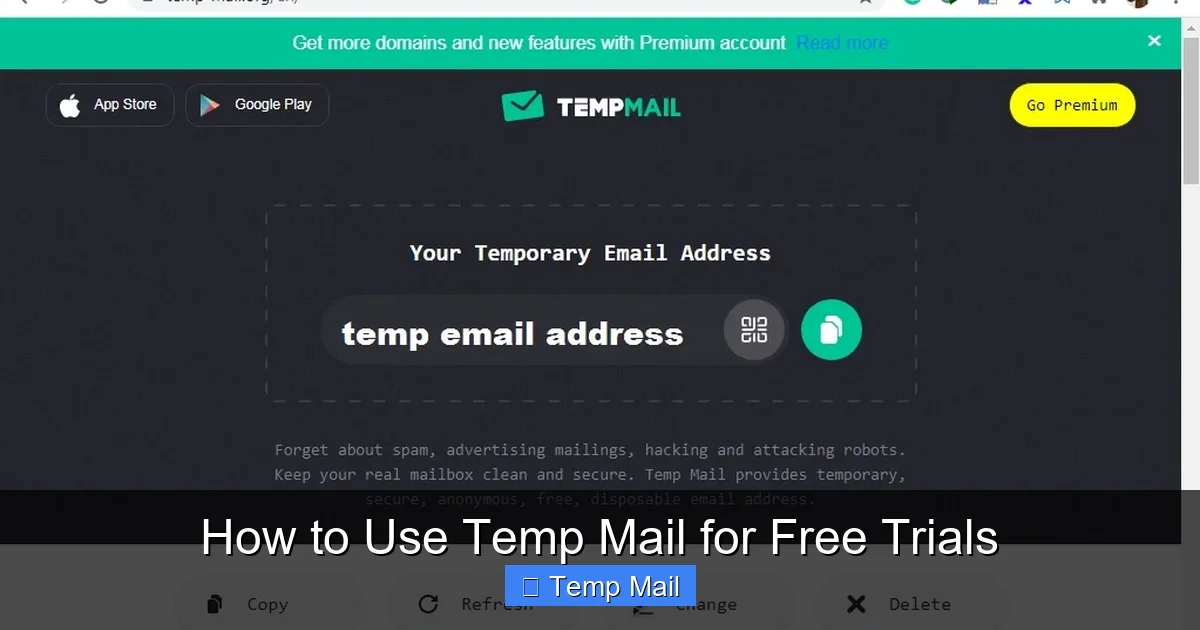
Visual guide about How to Use Temp Mail for Free Trials
Image source: lunarcomputercollege.com
Do not go to the trial sign-up page first. Open a new browser tab (or an incognito window for extra cleanliness) and navigate to your chosen temp mail provider, like Temp-Mail.org. Your unique, disposable email address will be generated and displayed immediately. Copy it to your clipboard. Keep this tab open; you’ll need it to receive the verification email.
Now, go to the service’s free trial page (e.g., Adobe’s). Paste the temp email address into the email field. For the password, use a strong, unique password you’ve never used elsewhere—this is good practice for any sign-up, but especially important here since the email is transient. You might be asked for a name; you can use a fake one or just your first name. This is the critical part: look for the credit card/payment field.
Most legitimate “free trials” require a payment method to start. They claim they won’t charge you until the trial ends, but they need a valid card to verify your identity and eligibility. Here’s where strategy comes in:
Important: If a service says “Payment required to start trial” and you cannot provide a valid card, the trial will not activate. Temp mail solves the email spam problem, not the payment verification requirement.
After clicking “Start Trial” or “Submit,” switch back to your temp mail tab. Within seconds to a minute, you’ll see an email from the company. Open it and click the verification link or enter the provided code on the service’s website. You should now have full access to the trial. Bookmark the service’s login page if you want to use it during the trial period.
Set a calendar reminder for one day before the trial ends. Log into the service (using the credentials you created) and navigate to your account/subscription settings. Find the cancellation option and follow through. Get a cancellation confirmation email. If you used a prepaid card with insufficient funds (Option A), the renewal payment will fail automatically, but it’s still best practice to cancel manually to be sure. Do not rely on the card failing as your cancellation method.
Using a temp email for trials isn’t just about being cheap; it’s a strategic move for digital hygiene and privacy.
Visual guide about How to Use Temp Mail for Free Trials
Image source: anonymmail.net
This is the #1 reason. When you use your primary Gmail or Outlook address on dozens of trial sites, you’re feeding the data machine. Those companies sell “engaged user” lists to advertisers. Your inbox becomes a target for relentless promotions, “special offers,” and newsletters you never wanted. A temp email is a sacrificial lamb. It absorbs all that marketing noise, which dies with the inbox after a few days.
Human memory is fallible. You sign up for a “free” graphic design tool trial on a busy Tuesday, plan to cancel, and completely forget. Next month, your credit card is charged $30. With a temp email, you have no way to log in to even *find* the account to cancel it. This sounds bad, but it’s actually a forced failsafe. Since you cannot recover the account (no email access), you cannot accidentally be charged because you cannot log in to update payment info. The trial simply expires, and the service deactivates the account for non-payment. It’s a radical way to enforce cancellation by making the account itself inaccessible to you after the trial.
Want to see what a competitor’s SaaS platform feels like? Need to test a video editor’s export speeds? Using a temp email lets you create a completely anonymous, unattached user profile. There’s no link to your real identity, your professional email, or your company’s domain. It’s a clean slate for unbiased product exploration.
It’s not all sunshine and rainbows. Using temp mail is a calculated risk with significant downsides that can backfire if you’re careless.

Visual guide about How to Use Temp Mail for Free Trials
Image source: image.winudf.com
This is the biggest and most permanent risk. Any work you do within the trial—a project you built in a web app, a playlist you curated, a document you wrote—is tied to that account. When the temp inbox dies, you lose the ability to log in. That means all your work is gone forever. You cannot export data, you cannot transfer it, you cannot recover it. The service’s support team will tell you to verify ownership via the registered email, which you no longer have. So, the rule is: Never create valuable, irreplaceable content during a temp mail trial. Use it only for surface-level testing: exploring the UI, checking feature lists, testing basic functionality.
Websites are wise to this tactic. They maintain and update lists of known disposable email domains and block them from sign-up. If you try to use @tempmail.org on a site that blocks it, you’ll get an error message like “Please enter a valid email address.” This is why having 2-3 different temp mail services bookmarked is useful; if one gets blocked, try another. However, sophisticated platforms (like Adobe, Microsoft, major banks) almost always block them outright for their main sign-up flows.
Scrolling down to the fine print, you’ll often find clauses that prohibit the use of “throwaway,” “disposable,” or “temporary” email addresses. By using one, you are technically violating the contract you agree to when you click “I Accept.” While companies rarely pursue individual users for this, it gives them a solid, legal reason to terminate your trial account immediately if detected, without warning or recourse. For services with paid tiers, it could also get your account permanently banned from ever signing up again.
What if the service needs to inform you of a security breach, a change in terms, or a billing issue? That communication goes to your temp inbox, which you will not check after the first day. You are operating blind to any important updates from the provider during your trial period.
If you decide to proceed, doing it the right way minimizes headaches and maximizes the useful information you gain from the trial.
As emphasized before, treat the trial as a 30-minute demo session, not a month-long workshop. Log in, click around, test the core features you’re interested in, watch a tutorial video. Do not start building your business’s entire marketing campaign in that trial account. Assume all data will be vaporized.
Before you even click “Start Trial,” open your calendar app. Set two alerts: one for the day after you sign up (to confirm the account is active) and one for two days before the trial ends (to cancel). Write down the cancellation steps on a sticky note: “1. Login at [service URL] 2. Go to Account > Billing 3. Click Cancel Subscription 4. Save confirmation email.”
Before going through the effort, do a quick Google search: “[Service Name] disposable email” or “[Service Name] temp mail reddit.” You’ll often find threads where users confirm whether the service blocks known temp domains or has a specific workaround. This 60-second check can save you 10 minutes of frustration.
Is this a tool you realistically might pay for and use for years? If yes, do not use a temp email. Just use your real email, set the cancellation reminder, and evaluate it properly over the full trial period with the ability to save your work. The spam risk is worth it for a tool you’ll actually keep. Save the temp mail trick for “maybe” services you’re just curious about.
Do not create a new temp email every month to get a “new” free trial on the same service. This is almost always a direct violation of ToS and is considered fraud. Companies track users by IP address, device fingerprint, and payment method. Creating multiple accounts to circumvent payment is a quick way to get your IP address blacklisted.
Temp mail is a tool of last resort. Consider these cleaner, more sustainable options first.
If you use email providers like SimpleLogin, AnonAddy, or Firefox Relay, you can create unique, forwardable email aliases. For example, you could make [email protected]. This alias forwards to your real inbox. You can see exactly which service is emailing you, and you can disable the alias with one click if the spam starts, without affecting your main email. It’s a paid or freemium service that offers the control of temp mail with the reliability of a real inbox.
Create a free email account (Gmail, Outlook) specifically for sign-ups and newsletters. Use this for all your free trials. It keeps your primary inbox pristine, and you still have access to any verification emails if you need to log in later. The downside is you have to manage this inbox occasionally, but it’s far more reliable than a 10-minute mailbox.
Be a savvy shopper. Many excellent services offer genuine, no-credit-card-required trials or robust free plans. For example, Canva, Notion, and Dropbox have generous free tiers. VPNs like Proton VPN offer a true 30-day money-back guarantee (you pay upfront, but can get a full refund). Prioritize these options. If a service demands a card upfront for a “free” trial, ask yourself if it’s worth the hassle.
Temporary email is a powerful, double-edged sword in the digital consumer’s toolkit. Used wisely—for quick, low-stakes exploration of services you probably won’t keep—it’s fantastic for protecting your primary identity and inbox from the deluge of marketing that follows a free trial. It enforces a strict, no-strings-attached evaluation period.
However, its very disposability is its greatest flaw. You trade permanent access for temporary anonymity. The moment you create something of value in that trial account, you’ve already lost it. The risk of ToS violations and blocked sign-ups is real and growing as companies get smarter. The ethical line between smart consumerism and fraudulent use is thin; stay on the right side by never using temp mail to repeatedly access the same paid service for free.
Ultimately, the best strategy is a layered one: start by hunting for no-card trials or using a dedicated spam email. Reserve temp mail for those “I’m just curious and will forget about this in a week” scenarios. And always, always cancel before the renewal date—even if you think the payment will fail. A little diligence now prevents a major headache and an unexpected charge later. In the battle against subscription fatigue, temp mail is a clever tactical retreat, not a permanent victory.
No, it is not illegal. However, it typically violates the Terms of Service of the website you’re signing up for. While you won’t face legal action, the company can immediately ban your trial account and any associated data if they detect a disposable email domain.
They don’t inspect your email personally. Instead, they maintain and constantly updated lists of domains known to be used by disposable email providers (like tempmail.org, 10minutemail.com). When you sign up, their system checks your email’s domain against this blacklist. If it matches, the sign-up is blocked.
Reputable temp mail services do not require any personal info and do not store your emails after the inbox expires. The primary risk is not from the temp mail provider stealing data, but from you using it on a malicious or poorly secured website. Any data you enter on that site (name, fake info, etc.) is stored on their servers, not the temp mail service’s.
Immediately log in to the service using your real email and password. Navigate to account/subscription settings and cancel the subscription. Ensure you receive a cancellation confirmation email. Also, set a calendar reminder to check your bank/credit card statement a few days after the trial period to ensure no charge went through.
Almost never. Account recovery almost always requires access to the registered email address to receive a reset link or verification code. Since the temp inbox is permanently deleted, you have no way to prove ownership. The account will eventually be deleted by the service for non-payment after the trial ends.
There is no single “best” provider, as websites block different domains. It’s best to have 2-3 reliable options bookmarked. Temp-Mail.org and Guerrilla Mail are widely used and have large pools of domains, making them less likely to be blocked en masse. Always test the provider on the specific site you want to use first.
অনলাইন নিউজপেপার থিম। এই থিমটি দিয়ে আপনারা বাংলা এবং ইংরেজি নিউজপেপার সাইট তৈরি করতে পারবেন । বার্তা ও বাণিজ্যিক কার্যালয়: ৭১, মতিঝিল, ঢাকা-১০০০। সম্পাদক : মো আসাদুজ্জামান আমানউল্লাহ । মোবাইল : ০১৭০০-০০০০০০ । ইমেইল : [email protected] ।
All rights reserved © 2019 themesdealer.Com












