Image for Temp Email for Secure Website Registrations


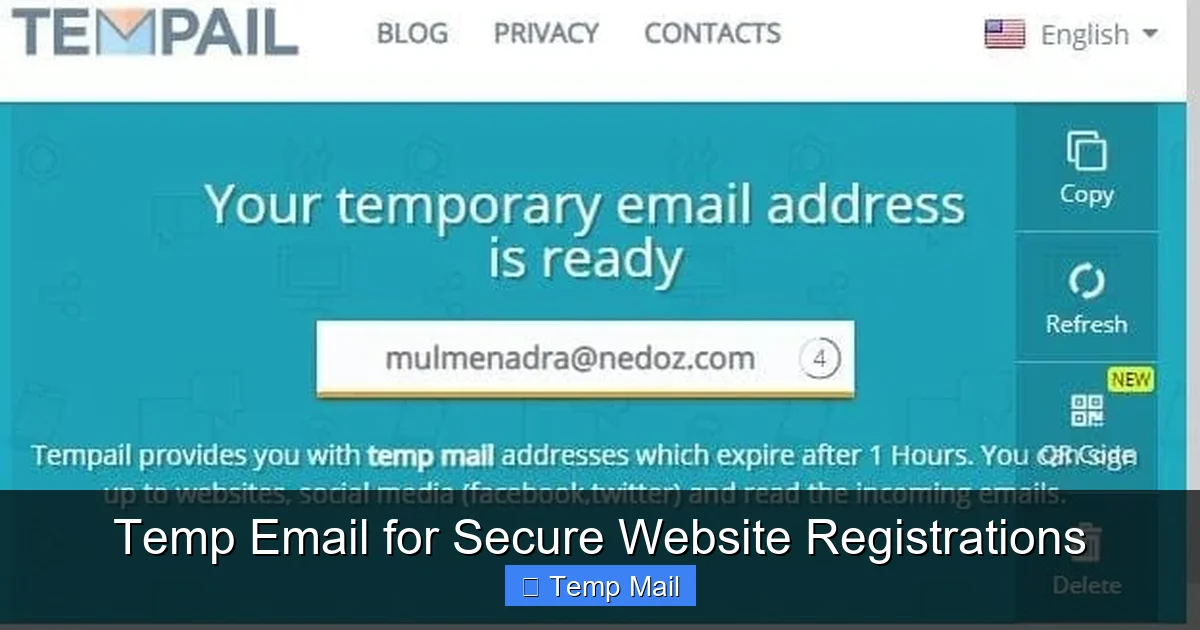
Using a temporary email address is a simple yet powerful way to safeguard your digital identity during website sign-ups. It acts as a protective shield, preventing spam, marketing emails, and potential security threats from cluttering or compromising your permanent inbox. By providing a disposable contact point, you maintain control over your personal data, significantly reducing the risk of your primary email being harvested by data brokers or exposed in a breach. This practice is essential for anyone prioritizing online privacy and security in today’s data-driven world.
Think about your primary email address. It’s more than just an inbox; it’s the master key to your digital life. It’s the username for your social media, the recovery contact for your bank, the login for your cloud storage, and the channel for official communications from doctors, schools, and employers. Every time you casually type it into a random website’s registration form, you’re handing out a copy of that master key. You’re trusting that site’s security practices, their privacy policy (which you probably didn’t read), and all their future third-party partners. What if that site gets hacked? What if they sell your data? Your precious, permanent inbox becomes a target.
This is where the brilliant, simple concept of a temporary email—often called a disposable or throwaway email—enters the picture. It’s not about being paranoid; it’s about being prudent. It’s a tactical tool for compartmentalizing your online presence. In this guide, we’ll dive deep into how using a temp email for secure website registrations isn’t just a trick for avoiding spam, but a fundamental step in building a robust personal cybersecurity strategy. We’ll cover exactly how it works, why it matters more than ever, and how to use it effectively without missing important emails.
A temporary email service provides you with a random, functional email address that exists for a very short, predefined period—usually anywhere from 10 minutes to 48 hours. You don’t create an account with a password to get it. You simply visit a website like Temp-Mail, 10MinuteMail, or Guerrilla Mail, and a unique inbox address is generated for you instantly. You can copy that address and paste it into any website that requires an email for registration or content access.

Visual guide about Temp Email for Secure Website Registrations
Image source: domainsrush.com
These services operate on a shared, public inbox system. When an address like [email protected] is generated, the service creates a corresponding inbox on their server. Any email sent to that address lands in that specific, publicly accessible (but randomly named) inbox. You, as the person who generated it, can view the emails in that inbox by returning to the same service website and looking for your address (often stored in a browser cookie or session). Once the time limit expires, the address and all its emails are permanently deleted from the server, leaving no trace. There’s no password, no recovery, and no persistent data.
It’s crucial to distinguish a true disposable email from other privacy tools. An email alias (like those offered by ProtonMail or SimpleLogin) is a forwarding address that sends mail to your main inbox. You can disable it later, but the emails still reach you. A separate dedicated account (e.g., a second Gmail) is a permanent inbox you must manage and secure. A temporary email is a complete dead end. It receives mail for a short time and then vanishes. This makes it the ultimate tool for one-off interactions where you want zero ongoing connection.
Using a disposable address for website registrations directly attacks several common privacy and security vulnerabilities. Let’s break down the protective layers it adds.
This is the most critical security benefit. Data breaches are a matter of “when,” not “if.” When you use your permanent email [email protected] to sign up for a pet forum, a free e-book download site, or a sketchy coupon service, that email and username are now in their database. If that site is breached (and many small sites have poor security), hackers now have your email address, which they will try on hundreds of other high-value sites like banking, PayPal, or Amazon. This is called “credential stuffing.” With a temp email, the breached database contains [email protected]. It’s useless to them. Your real identity is not in that breach, so the domino cannot fall toward your critical accounts.
Phishing emails are more effective when they’re personalized. “Hi John, your Netflix account has a billing issue” works better than “Dear User.” If your real email is harvested from a breached forum database, phishers can use it to target you with convincing, personalized scams that reference your other accounts or interests. A temp email severs this link. The phishing email goes to an address that no longer exists, and you never see it. You are insulated from that entire attack vector.
Many “free” services are funded by selling user data, including email addresses, to data brokers and marketing firms. These brokers then spam your inbox with offers. By giving a temp email, you are providing a worthless, ephemeral address to these data pipelines. The marketing emails they generate or sell will simply bounce or land in a public, quickly deleted inbox. Your primary inbox, the one you use for real life, stays pristine. You are not the product because your disposable contact point has no value after a few hours.
Knowing the theory is great, but let’s get hands-on. Here’s a step-by-step workflow for integrating this into your daily browsing.
Not all temp mail services are created equal. For security and reliability, prioritize services that:
Let’s say you want to download a whitepaper from a marketing site. You click “Download,” and a form pops up asking for your name and email.
Action: Open your chosen temp mail service in a new tab. A new address is auto-generated. Copy it. Paste it into the website’s form. Fill in a fake name if you wish (e.g., “John Doe”). Submit.
Next: The site says “Check your inbox for the download link.” Switch back to your temp mail tab. Refresh it. Within seconds or minutes, the email appears. Open it, click the link, download your file. Done.
Aftermath: Close the tabs. The temp email and its contents will self-destruct. The marketing company has a dead email address for you. They cannot market to you, cannot breach your identity, and cannot connect that download to your real self. You have the content, and your privacy is intact.
This is the golden rule: Never, ever use a temporary email for any account where you might need to recover access, receive official statements, or which involves money, health, or legal identity. This includes:
For these, use your permanent, secure email. The temp email is for the disposable web: forums you’ll visit once, news sites you want to bypass a paywall for, apps you’re testing, and any site that feels even slightly sketchy.
To master this tool, follow these pro-tips.
Don’t reuse the same temp email for multiple registrations. The whole point is compartmentalization. If Site A and Site B both have your same temp email, and Site A gets breached, the hacker now knows that [email protected] is also used on Site B. You’ve just linked two of your anonymous activities. Generate a fresh address for each new sign-up. Most browser extensions make this a single click.
Your password manager (like Bitwarden, 1Password, or KeePass) is the perfect companion. When you sign up for a site with a temp email, immediately generate and save a strong, unique password for that site in your manager. Now you have two layers of isolation: a unique login (password) and a unique contact (temp email). A breach at that site reveals only a dead-end email and a password that works nowhere else.
Some popular websites and platforms (like Discord, certain banking apps, or major social networks) actively block known disposable email domains. If your temp email is rejected, you’ll need to use your permanent address. This is a sign that the site takes security seriously, which is good! For the sites that accept it, you’re good to go.
Sometimes, a site sends a confirmation email you must click to activate the account. If you close the temp mail tab before clicking it, you might lose access. The solution: keep the temp mail tab open in the background until you’ve completed the entire registration flow, including email verification. If the verification email takes more than your service’s time limit, use the “keep alive” or “extend” button if available.
This tool is powerful but not a silver bullet. Understanding its limits is key to using it safely.
You can receive emails, but you cannot send from a temp address. It’s for input only, not communication. Do not expect to use it to email a friend or a business.
We’ve stressed this, but it bears repeating. If you forget your password for a site signed up with a temp email, you are permanently locked out. There is no “forgot password” email coming. Treat those accounts as truly disposable. The content or access they provide should be something you can afford to lose.
Because they are anonymous, temp emails are sometimes used for malicious sign-ups, spam, or abuse. This means some very security-conscious or high-trust services may block all disposable domains outright. If you encounter this, you must use your permanent email. It’s a minor inconvenience for a tool that provides massive privacy gains elsewhere.
The email content itself, while sitting in the temporary inbox, is not necessarily end-to-end encrypted by the temp mail service. You should not send sensitive personal data (like credit card numbers or scanned IDs) via a form on a site where you used a temp email, regardless of the email address used. The security of the site you’re registering with is a separate issue. The temp email protects your *identity linkage*, not necessarily the *content* of the communication.
As data privacy regulations like GDPR and CCPA give users more rights, and as data breaches become more costly, the concept of compartmentalized identity is gaining mainstream traction. We’re seeing this with the rise of:
The future likely holds tighter integration of disposable identity tools directly into our operating systems and browsers, making the choice to protect your primary email the default, effortless action. The principle will remain the same: never use your permanent, valuable identity for temporary, low-value interactions.
Your online security and privacy are built on habits, not on a single magic tool. Adopting the habit of using a temporary email for non-essential website registrations is one of the highest-impact, lowest-effort habits you can build. It’s a proactive defense that works silently in the background, preventing a cascade of problems before they start. It stops spam at the source, contains the damage of inevitable data breaches, and makes you a far less valuable target for phishing and data brokers.
Start today. Pin a reputable temp mail site to your browser toolbar or install its extension. The next time a website asks for your email to access an article, a tool, or a community, pause. Ask yourself: “Is this a relationship I want to have long-term?” If the answer is no, reach for that disposable address. You’re not being secretive; you’re being smart. You’re not avoiding connection; you’re ensuring that your most important digital connections—with your bank, your family, your real-world identity—remain secure and uncluttered. In the battle for your digital privacy, the temporary email is a small weapon that delivers an outsized victory every single time you use it.
Yes, using a temporary email is completely legal and a safe practice for privacy protection. The safety comes from using it for its intended purpose: registering on low-trust or one-time-use sites. The risk only appears if you use it for critical accounts where you need account recovery or legal verification.
Often, yes. Many websites maintain lists of known disposable email domains and will block them during sign-up. If a site rejects your temp email, you’ll need to use your permanent address. This is a security feature on their part, not a flaw in the temp email service.
It varies by service, but common timeframes are 10 minutes, 1 hour, 24 hours, or until you close the browser tab. Some services offer a “keep alive” button to extend the time. Always check the specific service’s policy before relying on it for time-sensitive verifications.
You will not be able to. The password reset email will be sent to an inbox that no longer exists. This is why the cardinal rule is: never use a temporary email for any account where login recovery is important. Treat those accounts as disposable. If you need to recover it, you’re out of luck.
Reliability varies. Established, well-known services like Temp-Mail.org, 10MinuteMail.com, and Guerrilla Mail are generally dependable for most general uses. Look for services with a clean interface, HTTPS, and a browser extension for maximum convenience. Avoid obscure services with excessive ads or pop-ups.
It’s not recommended. For social media, you need a recoverable email for password resets and account security. For online shopping (Amazon, eBay, retail stores), you need an email for order confirmations, shipping updates, and receipts. Use your permanent, monitored email for these essential services. Reserve temp emails for forums, content downloads, and app trials.
অনলাইন নিউজপেপার থিম। এই থিমটি দিয়ে আপনারা বাংলা এবং ইংরেজি নিউজপেপার সাইট তৈরি করতে পারবেন । বার্তা ও বাণিজ্যিক কার্যালয়: ৭১, মতিঝিল, ঢাকা-১০০০। সম্পাদক : মো আসাদুজ্জামান আমানউল্লাহ । মোবাইল : ০১৭০০-০০০০০০ । ইমেইল : [email protected] ।
All rights reserved © 2019 themesdealer.Com












