Image for Best Temp Mail for Spam Protection



Tired of your main email inbox being flooded with spam? A dedicated temporary email service is your first line of defense. These disposable addresses let you sign up for websites, download files, or access content without ever revealing your personal or professional email. By using a best temp mail for spam protection service, you create a sacrificial buffer that absorbs all unwanted correspondence, keeping your primary account clean, secure, and private. Our guide breaks down how they work and compares the top options to help you choose the right shield for your online activities.
Ever feel like you’re fighting a losing battle against email spam? You sign up for a free webinar, download a helpful e-book, or create an account on a new forum, and suddenly your inbox is inundated with promotional offers you never asked for. This isn’t just annoying; it’s a privacy drain and a potential security risk. What if there was a simple, free way to create a digital shadow—an email address you can use once and then discard? Enter the world of temporary email, or “temp mail.” This isn’t some shady underground tool; it’s a mainstream privacy practice for the savvy internet user. In this comprehensive guide, we’ll explore the best temp mail for spam protection, explaining exactly how these services work, why you need one, and which ones stand out from the crowd. Think of it as giving out a burner phone number instead of your personal mobile. Let’s dive in and take back control of your primary inbox.
Before we champion the solution, we must understand the scale of the problem. Email spam is no longer just unsolicited ads for miracle cures and Nigerian princes. It has evolved into a sophisticated, multi-billion dollar industry that feeds on your personal data.
Your email address is a valuable commodity. Data brokers, hackers, and marketers are constantly collecting it. You might willingly give it away for a “free” service, or it could be harvested from a data breach at a company you trusted. The moment your address lands on a spam list, it’s nearly impossible to get off. Every website you enter it into becomes a potential leak point. A single sign-up on a poorly secured forum can expose your email to bots that sell it to the highest bidder. This creates a cascading effect: more spam leads to more data aggregation, which leads to even more targeted, and sometimes dangerous, phishing attempts.
While a cluttered inbox is frustrating, the risks are graver. Phishing emails, which mimic legitimate companies to steal your passwords or credit card info, rely on volume. The more email addresses they have, the more likely they are to hook someone. Spam is also the primary delivery vector for malware and ransomware. Furthermore, your email address is often the key to your online identity. Many websites use it for password recovery. If a spammer gains access to your email, they can potentially reset passwords for your social media, banking, or other critical accounts. Protecting your primary email isn’t just about convenience; it’s about foundational digital security.
Temporary email services provide you with a random, functional email address that exists for a short, predetermined time—often just 10 minutes to a few hours. You can use this address to receive a single verification email or download a file, and then it self-destructs. No password, no personal details, no long-term commitment.
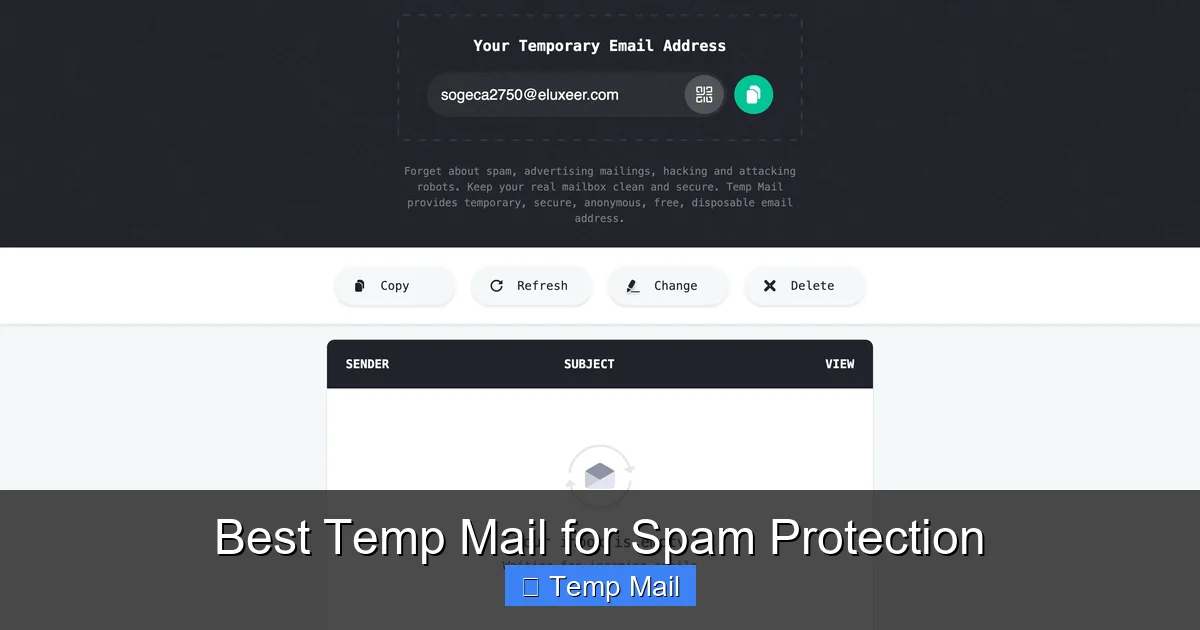
Visual guide about Best Temp Mail for Spam Protection
Image source: temp-mail.io
The mechanics are beautifully simple. You visit a temp mail website like Temp-Mail.org or 10MinuteMail.com. The site instantly generates a random inbox address (e.g., [email protected]) and displays a public inbox for it right on your browser. You copy that address, paste it into the website you’re signing up for, and then refresh the temp mail page to see if the verification email has arrived. Once you’ve retrieved the needed code or link, you simply close the browser tab. The service deletes the inbox and the address forever after its time expires. There’s no connection to you, your IP address is not stored with the email (in reputable services), and the address cannot be used to identify you later.
Not all disposable email providers are built the same. The best temp mail for spam protection shares these key characteristics:
The market is crowded, but a few services consistently rise to the top for reliability, speed, and spam-fighting efficacy. Here’s a breakdown of the best options.
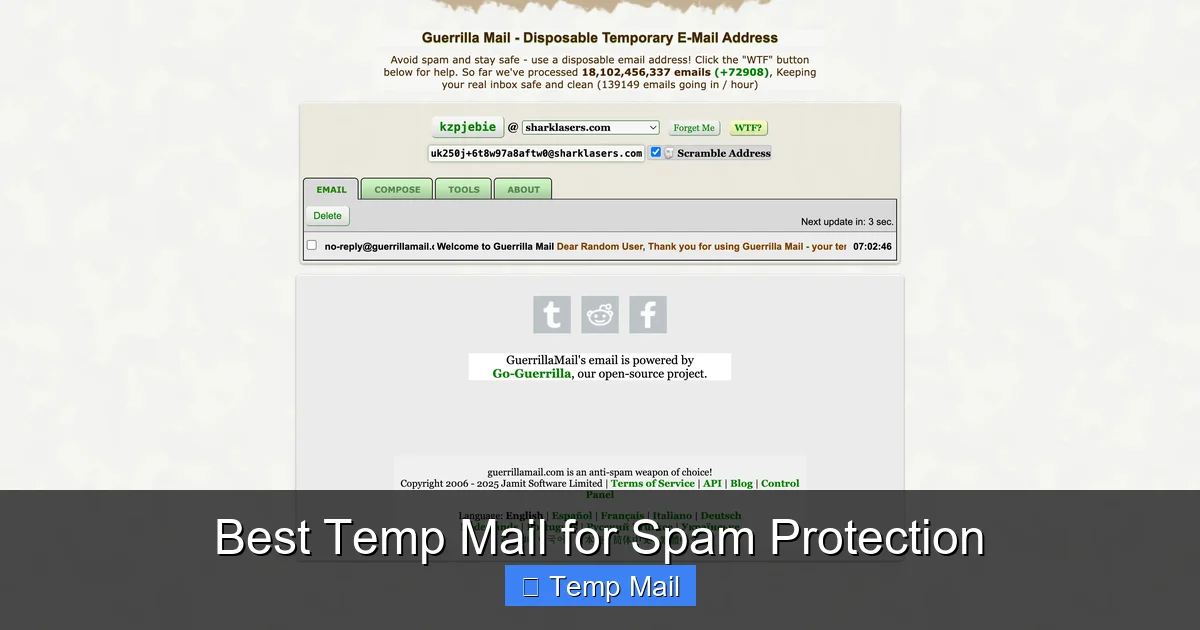
Visual guide about Best Temp Mail for Spam Protection
Image source: temp-mail.io
Temp-Mail.org is arguably the most recognized and reliable name in the business. It offers a massive pool of domains, ensuring your chosen address has a low chance of being blocked by websites. The interface is clean, with a prominent timer showing your inbox’s remaining life. It provides extensions for Chrome and Firefox, allowing you to generate a temp address directly from your browser toolbar—a huge usability win. Emails arrive quickly, and the 10-minute default timer is perfect for most sign-ups. For anyone needing a dependable, no-fuss service, this is the top pick.
As the name suggests, this service gives you a 10-minute window, extendable in some cases. It’s brutally simple and has been around for ages. The countdown timer is central and creates a useful sense of urgency. Its domain (@10minutemail.com) is widely recognized, which is a double-edged sword: some sites block it, but it’s so classic that many users trust it for quick, one-off tasks. It’s the ultimate “in and out” tool.
Guerrilla Mail steps up with more features. You can choose from several domain options, and it even allows you to reply to emails received at your temporary address—useful if you need to have a brief exchange without revealing your real email. It also offers a “remember me” option for a slightly longer-lasting inbox (up to 1 hour). The interface is functional, though slightly busier with ads than Temp-Mail.org. Its flexibility makes it a great secondary option when your primary service’s domain is blocked.
For users who hate ads and clutter, Maildrop.cc is a breath of fresh air. It has a stark, minimalist design focused solely on the inbox. You simply pick a random alias (or choose your own) under the @maildrop.cc domain and go. It’s incredibly fast and has no frills, which is exactly what some users want. The 24-hour retention period is also a standout feature for processes that take longer than 10 minutes.
Based in Germany, Tempail.com offers strong privacy guarantees under EU regulations. It provides both 10-minute and 1-hour email options and has a very modern, user-friendly interface. It also boasts a large, frequently updated list of domains to bypass blocks. If you’re concerned about data jurisdiction, this is an excellent choice that doesn’t sacrifice performance.
Knowing the best services is only half the battle. Using them correctly is what truly protects your primary inbox.

Visual guide about Best Temp Mail for Spam Protection
Image source: temp-mail.club
Let’s walk through a common scenario: downloading a gated whitepaper. First, open your chosen temp mail service (e.g., Temp-Mail.org). An address is generated automatically. Click the “Copy” button next to it. Navigate to the download page, paste the temp address into the email field, and submit. Immediately switch back to your temp mail tab and hit refresh. The verification or download link email should appear within seconds. Click any links within that email directly from the temp mail interface. Once you have the file or clicked the verify button, you can close the tab. The address is now garbage. No trace. No follow-up newsletters. No spam.
Adopt this simple mental rule: If the website or service is not critical to your life or finances, use temp mail. This includes:
Equally important is knowing when not to use a disposable address. Never use it for:
Temporary email is a powerful tool, but it’s not a magic wand. Understanding its limitations helps you use it wisely and avoid pitfalls.
Many popular websites (especially social platforms, Google services, and some gaming sites) maintain lists of known disposable email domains and will outright reject them during sign-up. This is a constant cat-and-mouse game. If you find a site blocking your temp mail, simply switch to a different service that uses a different domain. This is why having 2-3 trusted temp mail sites in your browser bookmarks is a smart move.
This is the most critical limitation. If you use a temp mail to sign up for a service and later forget your password, you are permanently locked out. There is no “forgot password” email sent to an address that no longer exists. This is why the rule from the previous section—only use for non-critical accounts—is paramount.
Emails in a temp inbox are typically not encrypted end-to-end. They exist in plain text on the service’s servers for a short time. This means they are not suitable for sending sensitive personal information (like scans of your ID or confidential documents). Furthermore, you cannot archive or search old emails. Once the inbox expires, all history is gone. This is by design for privacy, but it’s a functional limitation.
Because they are anonymous, temp mail addresses are sometimes used for malicious purposes like creating spam accounts or abuse forums. This can lead to the entire domain (e.g., @temp-mail.org) developing a poor reputation with some email providers. Occasionally, a verification email from a legitimate site might be delayed or even rejected by the temp mail service’s own outbound servers because of this reputation. Reputable services manage this carefully, but it’s a factor in the ecosystem.
Using a best temp mail for spam protection is a fantastic habit, but it’s just one part of a holistic privacy strategy.
For services that block temp mail but are still non-critical (like a newsletter you semi-care about), consider creating a dedicated secondary email address with a provider like Gmail or ProtonMail. Use this address only for these types of sign-ups. Never use it for personal correspondence. This creates a second buffer between your primary inbox and the wild west of the web.
A password manager (like Bitwarden, 1Password, or Dashlane) allows you to create and store strong, unique passwords for every account. Even if a site you signed up with a temp email suffers a breach, your unique password ensures that breach cannot be used to access any of your other accounts. This is the single most important security practice alongside using temp mail for sign-ups.
Your primary email address is likely already on dozens of data broker sites that sell your information. Periodically use services like OptOutPrescreen (for US residents) or search for “remove my information from Google” to request takedowns. While you can’t eliminate your digital footprint, you can certainly scrub it.
The internet doesn’t have to be a place where you sacrifice your primary email address at every turn. The best temp mail for spam protection services we’ve highlighted—Temp-Mail.org, 10MinuteMail.com, Guerrilla Mail, Maildrop.cc, and Tempail.com—are free, easy tools that put you back in control. They are the digital equivalent of wearing a hat and sunglasses in public; you’re not hiding, you’re simply preventing opportunistic marketers and malicious actors from getting a clear snapshot of your identity. Start small. Next time a website asks for your email to read an article, open a new tab, generate a temp address, and use it. Experience the quiet joy of an inbox that only contains emails you actually care about. That’s the power of disposable email. It’s not about being paranoid; it’s about being prudent. In the modern data economy, your email address is your most exposed personal asset. Guard it wisely, and use a temp mail as your first, and most effective, line of defense.
Yes, using a temporary email service is perfectly legal. These are legitimate tools for privacy protection. However, using them to commit fraud, bypass bans, or send illegal content is, of course, illegal. The tool itself is neutral.
Reputable temp mail services do not require any personal information and do not log your IP address in a way that links it to the generated email address. The address itself is random and has no connection to you. Therefore, it cannot be traced back to your real identity through the service. However, if you use it to log into a service that later requires personal info, that service now has a record linking that temp address to your activity on their platform.
They serve different primary purposes. Temp mail focuses on anonymity and disposability for receiving emails from low-trust sources. It’s about not leaving a trail. Secure email services like ProtonMail focus on sending and storing emails with end-to-end encryption and strong privacy policies, often requiring an account. You would use ProtonMail for your primary, long-term communications, and temp mail for one-off sign-ups.
By design, yes, and that’s the point. A temp inbox is meant for single-use communications like a “click here to verify” link. Any newsletters, promotional follow-ups, or account updates sent to that address will be permanently lost when the inbox expires. This is why you must only use it for services where you do not expect or need long-term communication.
Websites block disposable email domains to prevent abuse. Spammers and people creating fake accounts in bulk use temp mail to avoid being tracked. By blocking these domains, a website reduces fake registrations, comment spam, and fraudulent activity. It’s an inconvenience for legitimate privacy-conscious users, but it’s a common anti-abuse measure.
The main risk is a false sense of security. While it protects your real address from spam, the email content in the temp inbox is not encrypted. Do not send sensitive data (passwords, ID scans, credit card numbers) to or from a temp address. Also, if you click a phishing link within a temp email, your browser could be compromised just like any other email. The temp mail service itself, if malicious, could log your activity, but sticking to well-known, reputable providers mitigates this risk significantly.
অনলাইন নিউজপেপার থিম। এই থিমটি দিয়ে আপনারা বাংলা এবং ইংরেজি নিউজপেপার সাইট তৈরি করতে পারবেন । বার্তা ও বাণিজ্যিক কার্যালয়: ৭১, মতিঝিল, ঢাকা-১০০০। সম্পাদক : মো আসাদুজ্জামান আমানউল্লাহ । মোবাইল : ০১৭০০-০০০০০০ । ইমেইল : [email protected] ।
All rights reserved © 2019 themesdealer.Com












