Image for Disposable Email for Quick Access



Struggling with spam clogging your primary email? A disposable email is your secret weapon for quick, anonymous access online. It’s a temporary inbox that vanishes after use, perfect for signing up to untrusted sites, downloading files, or verifying accounts without risking your personal data. Think of it as a digital burner phone for your inbox—simple, effective, and completely disposable.
Imagine you’re at a bustling street fair. A vendor offers you a free sample, but to get it, you need to hand over your business card. Do you give them your personal, work, or home contact card? Probably not. You’d likely scribble a temporary note on a napkin or have a dedicated “fair card” just for these moments. A disposable email is precisely that—the digital napkin for your online interactions. It’s a temporary, no-strings-attached email address created on the fly, designed for a single purpose or a very short lifespan, after which it and all its contained messages are permanently erased.
This isn’t some shady, underground tech trick. It’s a straightforward, legitimate privacy tool that has surged in popularity as our digital lives have become more cluttered. Every day, we’re asked to “enter your email to continue.” That free e-book, that whitepaper, that exclusive webinar, that comment section on a news site—each is a potential gateway for spam, data harvesting, and a perpetually overflowing inbox. A disposable email service acts as a buffer, a protective layer between your real identity and the vast, often track-happy, expanse of the internet. It’s the practical answer to a simple question: “Why should I give my real email for something I might never use again?”
At its heart, the disposable email concept embraces a powerful digital hygiene principle: separation of concerns. Your primary email address is your digital home base. It’s tied to your bank accounts, your family, your work, your critical social networks. It’s the key to your digital kingdom. You wouldn’t hand the keys to your house to every stranger who asks, so why do that with your main email?
A disposable email operates on the idea of compartmentalization. Each online interaction gets its own, isolated container. Sign up for a gaming forum you’ll check once? Use a disposable email. Download a template from a marketing site? Use a different disposable email. Need a quick verification to read an article behind a paywall? Another disposable email. If that site sells your address to spam networks or suffers a data breach, only that specific, temporary address is compromised. It vanishes, taking the spam potential with it. Your primary inbox remains pristine, a sanctuary for only what truly matters.
The process is beautifully simple, almost disarmingly so. There’s no lengthy sign-up, no password to remember, no security questions about your first pet. The entire point is frictionless, immediate access. Here’s the step-by-step breakdown of what happens when you decide to use a disposable email for quick access.

Visual guide about Disposable Email for Quick Access
Image source: customguide.com
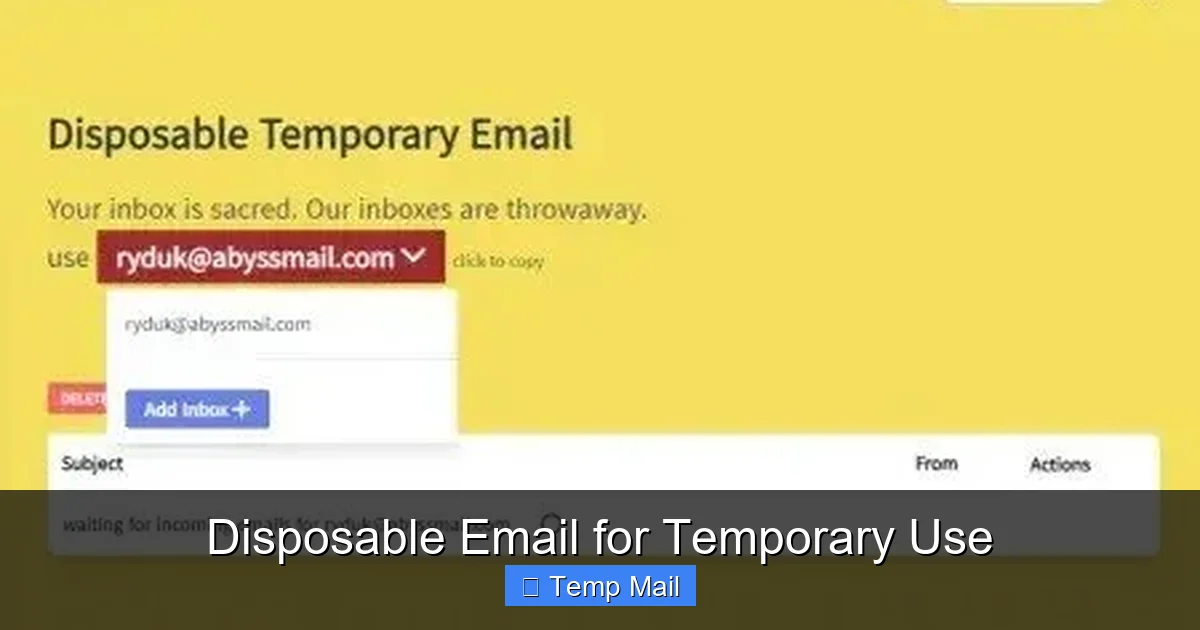
You navigate to a disposable email provider’s website, like Temp-Mail, 10MinuteMail, or Guerrilla Mail. The homepage typically features a large, obvious button saying something like “Generate Email” or “Get Temporary Address.” You click it. Instantly, the service’s software generates a completely random email address for you. It will look something like [email protected] or [email protected]. This address is now active and ready to receive mail on the provider’s servers. You don’t own it; you’re just borrowing it for a short time.
You copy that generated email address and paste it into the website or service that’s requesting it. You complete whatever action you needed—signing up, downloading, verifying. Now, the crucial part: you switch back to the disposable email provider’s tab. Most services have an inbox view right on their homepage, automatically refreshing to show incoming mail for the address they just gave you. You’ll see the verification email or the download link appear within seconds or minutes. You click the link, download the file, complete your task. Once that’s done, you simply close the tab. There is no account to log out of.
This is the core feature. Every disposable email address comes with an invisible, ticking clock. The lifespan varies by provider—some offer 10 minutes, others 1 hour, some up to 24 hours, and a few premium services allow you to extend it. Once that timer expires, the email address is purged from the system. All emails in its inbox are permanently deleted. The address itself is recycled and given to a future user. From the outside, it looks like it never existed. This automatic cleanup is what makes it “disposable.” There’s no messy manual deletion required. The system handles the hygiene, ensuring no latent data or spam can linger.
Knowing *how* it works is one thing; knowing *when* to use it is the real skill. A disposable email for quick access is a specialized tool, and using it for the right jobs maximizes its value while avoiding pitfalls. Here are the five most common and effective scenarios.

Visual guide about Disposable Email for Quick Access
Image source: customguide.com
This is the #1 use case. You’ve found a fantastic blog post, but to read the full article, you need to “subscribe with your email.” Or, a company offers a free e-book, template pack, or software trial in exchange for your email address. You’re interested in the resource, but you have zero interest in being added to their marketing newsletter for the next five years. A disposable email is perfect here. You get the immediate resource, and the provider’s subsequent promotional emails go straight into a digital void that self-destructs. Pro Tip: Use a different disposable address for each different content provider. This way, if one starts spamming, you know exactly which “source” sold your address, and you simply stop using that specific disposable inbox.
Want to test a new SaaS tool, a gaming platform, or a forum for a weekend? Many services require email verification to create a trial account. Using your main email means you’ll get a deluge of “your trial is ending!” and “upgrade now!” emails, even if you never intended to keep the account. With a disposable email, you verify the account, use the trial, and walk away. The trial account will eventually expire due to inactivity, and the associated email address will vanish, leaving no trace. This is also useful for creating a throwaway account on a site you rarely visit but need occasional access to.
Consider commenting on a controversial news article, posting on a public forum like Reddit or Quora, or signing up for a website with questionable privacy policies. Using your primary email links your online pseudonym or comment directly to your real identity. A disposable email severs that link. It allows you to participate in online communities or discussions with a layer of anonymity. Your contribution isn’t tied to your personal inbox. This is not about being nefarious; it’s about having the right to privacy and not having your digital footprint unnecessarily expanded by every public interaction.
Some websites, particularly in B2B or academic circles, put entire sections of their site behind an email gate. Need to see a list of research papers, access a specific pricing page, or view a case study? Instead of handing over your work email (which will likely get added to a sales drip campaign), a disposable email lets you quickly hop the fence, get the information you need, and be on your way. It’s a tool for efficient research without commitment.
For developers, QA testers, or even savvy users testing out email-based features of a new app, disposable emails are indispensable. Need to test a “forgot password” flow? A “invite a friend” feature? You can generate a fresh disposable address for each test case, trigger the email, and verify the receipt—all without cluttering your real inbox with test notifications or having to create dozens of real accounts. Some advanced providers even offer APIs for automated testing.
Choosing to use a disposable email for quick access isn’t just about avoiding spam; it’s about taking control. The benefits cascade into a cleaner, safer, and more manageable digital life.

Visual guide about Disposable Email for Quick Access
Image source: disposableformwork.com
This is the most immediate and gratifying benefit. By never giving your primary address to low-trust or one-off sites, you cut off the primary supply line for spam. Your main inbox becomes a place for emails from people you know, businesses you trust, and services you actively use. The constant filtering, the deleting, the frustration—it all diminishes dramatically. You’re not just treating the symptom (spam); you’re preventing the disease (address leakage).
Every email address is a data point. Companies use email addresses as unique identifiers to track your behavior across websites, building a profile of your interests, location (via IP logs), and browsing habits. Using a disposable email for quick access means that data point is a dead end. It can’t be tied back to your real identity or your other online activities. You browse and interact with a clean slate for each new site, making it exponentially harder for ad networks and data brokers to create a comprehensive, personal profile of you. It’s a small act of resistance against pervasive surveillance capitalism.
We read about them constantly: “Company X suffers a data breach, exposing 50 million user email addresses.” If you used your primary email for Company X, that address is now in the hands of hackers and sold on the dark web. It becomes a target for phishing attacks, credential stuffing (where hackers try your email/password combo on other sites), and spam. If you used a disposable email for Company X, the breached data is utterly useless to hackers targeting *you*. The address is already defunct. The breach still happened, but your personal attack surface remains intact. You’ve effectively quarantined the risk.
Your primary inbox becomes a true priority inbox. No more wading through promotional offers for software you trialed once, newsletters you accidentally signed up for, or confirmation emails for accounts you forgot you made. This saves mental energy and time. You can set up strict filters and rules for your main inbox knowing that the emails arriving there are, by and large, important. The disposable email strategy enforces a natural, powerful filter at the source.
There is no long-term relationship with a disposable email. No need to create and memorize a new password. No security questions to answer. No two-factor authentication setup. No need to unsubscribe later (because the address disappears). It’s the ultimate “no strings attached” tool. This frictionless nature is what makes it perfect for “quick access” scenarios where the cognitive load of managing another account would be disproportionate to the task at hand.
Like any tool, disposable emails are misunderstood. Some see them as a tool for fraud, while others worry about reliability. Let’s clear the air and address the legitimate concerns head-on, so you can use them safely and effectively.
This is the most common stigma. While it’s true that bad actors *can* use them for anonymous, malicious sign-ups, the vast, overwhelming majority of users are ordinary people like you and me, seeking privacy and inbox sanity. The tool itself is neutral. A knife can be used to cook a meal or to commit a crime; we don’t ban knives. Similarly, disposable email services are legitimate businesses offering a privacy service. Their primary use case is defensive—protecting users from unwanted data collection and spam. Using one to protect your identity on a public forum or to avoid marketing spam is a perfectly ethical and smart practice.
This is a real, technical consideration. The inbox for a disposable email is often not password-protected in the traditional sense. The address itself is the key. If someone else knows or guesses your temporary address (which is randomly generated, so guessing is nearly impossible), they could, in theory, view the incoming emails. Therefore, never use a disposable email for anything sensitive. Do not use it for password resets on important accounts, for private communications, or for receiving confidential documents. Its purpose is for receiving *public* verification emails or download links from services you are actively engaging with at that moment. The risk is minimal for this intended use but becomes severe if misapplied.
This can happen, but it’s not the norm for reputable providers. Sometimes, the receiving server (e.g., Gmail, Outlook, the service you’re signing up for) may block emails from known disposable email domains to prevent abuse. This is a cat-and-mouse game. Popular disposable domains get blacklisted. That’s why using a well-maintained, popular provider is key—they often have multiple domains and rotate them to stay ahead of basic blocks. If an email doesn’t arrive within 5-10 minutes, it’s likely blocked. In that case, you’d need to generate a new disposable address from a different provider or domain and try again. For most mainstream sites (like Medium, GitHub, or generic download links), delivery is very reliable.
This is the cardinal sin of disposable email usage. If you use a temporary address to sign up for a service where you *might* need to recover your account later (like a social media profile, a cloud storage account, or a paid subscription), you will be locked out forever the moment you forget your password or get logged out. The service will send recovery instructions to the disposable address, which no longer exists. Rule of Thumb: The “Disposable Email Rule” is simple: if the account has any long-term value, financial tie, or personal importance, use your real, permanent email. Disposable emails are for disposable interactions.
Many privacy-conscious individuals use a hybrid system. They have:
This tiered approach gives you control, privacy, and organization without the risk of permanent lockout.
Not all disposable email services are created equal. While the core function is the same, features, reliability, and user experience vary. When selecting a provider for your quick-access needs, consider these key factors.
How long does the address live? 10 minutes? 1 hour? 1 day? For most “quick access” tasks (downloading a file, getting a verification code), 10-60 minutes is sufficient. If you need to receive a newsletter or a longer-form email, look for providers offering 24-hour or even multi-day inboxes. Also, check if the inbox page auto-refreshes or if you have to manually reload it to see new mail. Auto-refresh is a major convenience.
A provider that uses a single domain (e.g., only @tempmail.net) is more likely to be blocked by major websites. Look for services that offer multiple domain options (e.g., @tmpmail.org, @dispostable.com, etc.) and that automatically rotate or let you choose. This increases your chances of successful delivery when a site blocks disposable domains.
The entire point is speed and anonymity. If a service asks you to create an account, solve a CAPTCHA, or provide any personal information to “generate” an email, it’s failing at its primary job. The best providers are truly zero-commitment: visit, get address, use, close. Avoid any that create friction at the gate.
If you’re a developer or need to automate testing, an API is a game-changer. It allows you to programmatically generate new addresses, check for incoming mail, and retrieve messages—all without manually visiting a website. Services like Temp-Mail and MailSlurp offer robust APIs for this purpose.
Some providers have clean, ad-light interfaces. Others are cluttered with ads (which is often how free services make money). Consider your tolerance for ads. Some offer useful extras like:
For pure, simple “quick access,” a clean web interface with a big “Generate” button is all you need.
Popular, reputable providers to start with: Temp-Mail, 10MinuteMail, Guerrilla Mail, DropMail, and Mailinator (though Mailinator’s public inboxes are visible to all, so use its private mode). Always try a new provider with a low-stakes task first to gauge delivery reliability for your common use cases.
The disposable email is not a static relic; it’s part of a growing ecosystem of privacy-enhancing tools. As data harvesting becomes more sophisticated and regulations like GDPR and CCPA grapple with consent, the individual’s need for tactical anonymity tools grows. We’re seeing trends that point toward the future of this space.
Forward-thinking companies are integrating disposable email generation directly into tools you already use. Some password managers now offer a built-in alias feature (like Firefox Relay or Apple’s Hide My Email), which creates unique, forwardable email aliases that are more permanent than a 10-minute mail but still protect your real address. Browsers may eventually include a native “generate temporary email” option in their autofill menus, making the practice even more seamless and mainstream.
There’s a spectrum. On one end is the true, 10-minute disposable email. On the other is a service like SimpleLogin or AnonAddy, which creates unique, *permanent* aliases that forward to your real inbox. You can disable an alias at any time if it starts receiving spam. This offers more control and longevity for services you might use semi-regularly but still don’t want to expose your main address to. The future likely holds a blend of these models, giving users granular control over their email identity per service.
As disposable email use grows, so does the incentive for websites to block them. We’ll see more sophisticated detection methods. In response, disposable email providers will innovate with larger pools of domains, more subtle delivery methods, and perhaps even decentralized models. The tension between sites wanting “real” user emails for marketing and users wanting privacy will continue. This makes having a reliable, up-to-date provider more important than ever.
Using a disposable email is moving from a “hacker trick” to a standard privacy practice, akin to using a VPN or a private browser window. As more people become aware of data harvesting, the social acceptability of protecting your primary email address will increase. The question will shift from “Why are you using a temporary email?” to “Why *aren’t* you?” for non-critical sign-ups.
The ultimate goal is a digital identity you control. A disposable email is a simple, powerful tool in that toolkit. It lets you engage with the web on your terms—taking what you need, when you need it, without leaving a permanent trail back to your front door. It’s the digital equivalent of paying for a coffee with cash: a small, everyday action that collectively preserves a significant amount of your privacy.
In a world where your email address is often the first and most valuable piece of personal information you’re asked to surrender, reclaiming control is an act of digital self-care. A disposable email for quick access is not a tool of deception; it’s a tool of discernment. It allows you to separate the wheat from the chaff, the essential from the ephemeral, in your online engagements.
Start today. The next time you see that “enter your email to download” or “subscribe to read more” prompt, pause. Ask yourself: “Is this interaction worth linking to my permanent digital identity?” If the answer is no—and for the vast majority of one-off requests, it is—open a new tab, generate a disposable address, and proceed with confidence. Enjoy your download, get your code, read your article, and close the tab. Let the address fade away. Your primary inbox, your personal data, and your peace of mind are worth that simple, 10-second step. Adopt the “use and lose” philosophy, and experience the internet with a cleaner, safer, and more private footprint.
Yes, using a disposable email is completely legal. It’s a standard privacy tool provided by numerous legitimate companies. The legality only comes into question if the service is used for illegal activities like fraud, identity theft, or circumventing legal bans, which violates the terms of service of most websites and can be illegal in certain contexts.
Yes, websites can often detect if an email comes from a known disposable domain. Some sites block them entirely during sign-up. However, many popular sites do not block them, and the practice is becoming more common and accepted as a privacy measure.
Most reputable disposable email services allow you to receive attachments. However, there are often size limits (e.g., 10MB or 25MB). Always check the provider’s specific terms. For very large files, the service may reject the email, so it’s not ideal for receiving critical large attachments.
You will not be able to recover it. Password reset or account verification emails will be sent to the disposable address, which no longer exists. This is why the cardinal rule is: never use a disposable email for any account you might need to access long-term, such as social media, banking, or primary cloud storage.
They are safe for their intended purpose. The inboxes are typically not password-protected beyond the random address itself, so you shouldn’t use them for sensitive communications. However, because the address is temporary and random, the risk of a targeted hacker finding *your specific* disposable inbox is extremely low. The main safety benefit is that if a provider suffers a breach, your real identity is not linked to the compromised address.
It varies by provider. Common lifespans are 10 minutes, 1 hour, or 24 hours. Some premium services offer longer durations or the ability to extend the life of a specific inbox. Always check the provider’s policy before using it for a task that might take longer than a few minutes.
অনলাইন নিউজপেপার থিম। এই থিমটি দিয়ে আপনারা বাংলা এবং ইংরেজি নিউজপেপার সাইট তৈরি করতে পারবেন । বার্তা ও বাণিজ্যিক কার্যালয়: ৭১, মতিঝিল, ঢাকা-১০০০। সম্পাদক : মো আসাদুজ্জামান আমানউল্লাহ । মোবাইল : ০১৭০০-০০০০০০ । ইমেইল : [email protected] ।
All rights reserved © 2019 themesdealer.Com