Image for How Disposable Emails Work


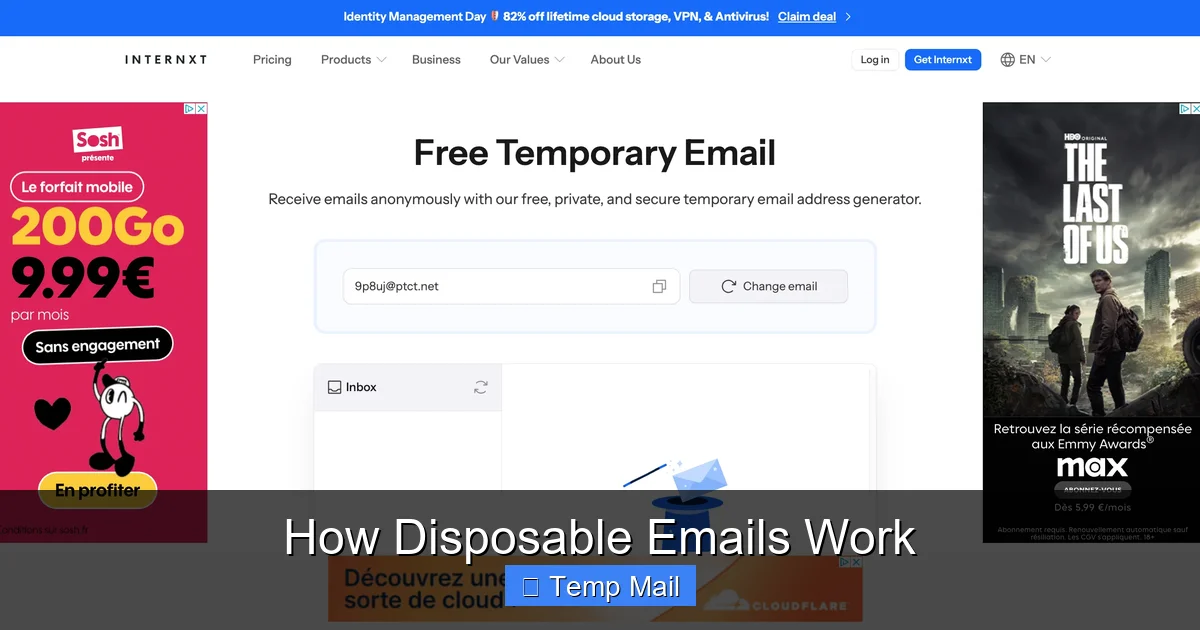
Disposable emails are temporary, auto-deleting inboxes designed for one-time or short-term use. They work by generating a random email alias that forwards messages to a public inbox you can access without registration. This simple mechanism shields your primary address from spam, data harvesting, and unwanted tracking while signing up for websites, downloads, or forums. They’re a privacy tool, not for important accounts.
Imagine you need to download a free PDF guide from a website. The site demands your email address to send the link. You hesitate. What if this leads to a daily spam barrage? What if your email gets sold to data brokers? This is where disposable emails—also called temp mail, throwaway email, or fake email—come to the rescue.
At their heart, disposable emails are temporary email addresses that live for a short, predefined time. They are not tied to your identity. They have no long-term inbox you log into. They are, essentially, a digital burner phone for your email. You use them once or twice, get what you need, and they vanish without a trace, leaving your permanent email address pristine and spam-free.
The concept challenges the traditional idea that an email address is a permanent digital identity. In the early internet, an email was a stable point of contact. Today, with pervasive data collection and aggressive marketing, that stability is a vulnerability. Disposable emails reintroduce ephemerality—the quality of being transient—into a system designed for permanence. They are a tool for minimal viable trust: you prove you’re a real human to a website (by receiving a verification link) without proving you are a permanently available human.
Understanding the mechanics removes the mystery. The process is beautifully simple, built on standard email protocols but with a critical twist: impermanence.
Visual guide about How Disposable Emails Work
Image source: funkyspacemonkey.com
You navigate to a service like Temp-Mail.org, Guerrilla Mail, or 10MinuteMail. The site’s server instantly generates a random string of characters—your new email address. This looks something like [email protected]. This alias is not pre-existing; it’s created on the fly for your current session. The domain (the part after @) is owned by the disposable email provider.
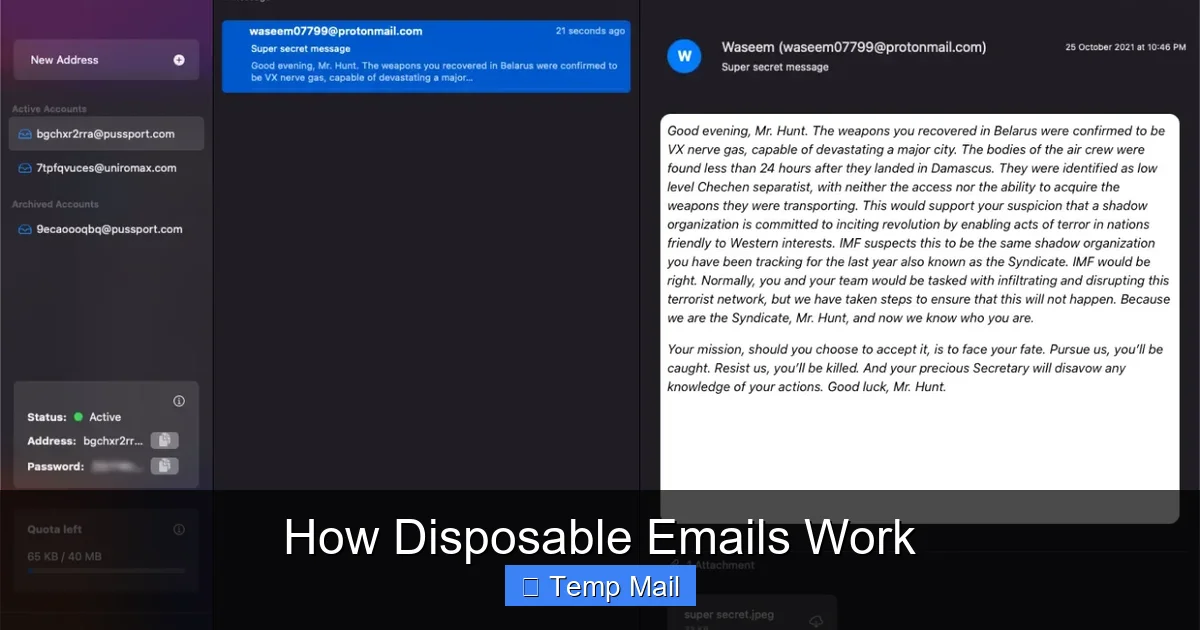
Here’s the key innovation: there is no password. Instead, your unique inbox is identified by the very alias you just received. The provider’s system sets up a temporary mailbox on their servers linked to that alias. When you arrive on the site, you are shown this inbox URL, often embedded in the page or as a “check inbox” button. Anyone who knows the full alias (i.e., you, and the website you gave it to) can view the contents of that specific inbox by visiting that unique URL. It’s a session-based, publicly accessible mailbox for that one address only.
When Website X sends a verification email to [email protected], the MX (Mail Exchange) records for the tempmail.demo domain point to the disposable provider’s mail servers. The provider’s server accepts the message, stores it temporarily, and makes it visible in your public inbox view. There is no traditional “forwarding” to a personal account; the mail simply resides in the provider’s temporary database, accessible via your unique session link.
A countdown timer starts. This is the lifeline of your disposable address. Policies vary:
This automated deletion is the “disposable” part. The address ceases to exist. Any future emails sent to it bounce back to the sender as undeliverable.
Disposable emails are a specialized tool for a specific set of problems. Using them for everything is as unwise as never using them.
Visual guide about How Disposable Emails Work
Image source: funkyspacemonkey.com
This is the #1 use case. You want to access a:
You use the disposable address to get the gate-keeping verification email. Once you’ve clicked the link or copied the code, the address has served its purpose. The website may add that disposable address to its marketing list, but it leads to a black hole. Your primary inbox is untouched.
Journalists, researchers, or activists investigating sensitive topics might use a disposable email to sign up for newsletters, create test accounts on controversial platforms, or download reports without linking the activity to their real identity. It creates a clean separation between professional/personal life and specific research projects.
Many “free” services monetize by collecting email addresses and building user profiles. By giving them a disposable address, you break the chain of association. They cannot connect that disposable address to your real identity, your other accounts, or your location (unless you use it repeatedly from the same IP, which is a separate privacy issue). It’s a small act of resistance against the surveillance economy.
Developers and QA testers need to create countless test accounts. Using a disposable email service via API allows them to automate account creation for testing registration flows, email notifications, and password resets without managing thousands of real inboxes.
Some two-factor authentication (2FA) or login systems can send codes to an email. If you’re using a public or shared computer and need a quick, non-permanent way to receive that OTP, a disposable inbox can work—though an authenticator app is always superior.
Disposable emails are powerful, but they are not a silver bullet. Misusing them creates new problems.
Visual guide about How Disposable Emails Work
Image source: mailtemp.uk
First and foremost: the inbox is not private. Since it’s publicly accessible via a URL, anyone who has that URL (or can guess the alias, if it’s not random enough) can read your emails. The provider themselves can see all mail passing through. Never use a disposable email for:
Some providers claim not to log IP addresses, but you must trust their policy. For high-stakes anonymity, Tor with a reputable provider is a better start.
Many popular websites and services actively block known disposable email domains. They see them as a sign of low-quality, fraudulent, or spammy user sign-ups. If you try to register with @tempmail.demo on a platform like Facebook, LinkedIn, or many SaaS tools, you’ll likely get an error: “Invalid email address.” This is a constant cat-and-mouse game; new disposable domains pop up, and blacklists get updated.
Don’t expect IMAP/POP3 access, rich formatting, large attachments, or seamless integration with your email client. The interface is often bare-bones. Delivery can sometimes be slower as these services aren’t optimized like Gmail or Outlook. And because the address vanishes, you lose all historical email records immediately.
Some free disposable email services are ad-supported to an extreme degree, with misleading download buttons and aggressive pop-ups. Others may have hidden terms. A few unscrupulous providers might even log and sell the content of emails (though reputable ones focus on the service itself). Always use well-known, established providers with clear privacy policies.
Not all temp mail services are created equal. Here’s your practical checklist.
How long does the inbox last? 10 minutes is fine for a quick code. 1-24 hours is better for a multi-step process. Check if they offer a custom domain option (e.g., you can choose @secure-drop.com instead of a random string). A unique, less-common domain is less likely to be blacklisted immediately.
Look for:
Do a quick search for the provider’s name + “review” or “privacy policy.” A transparent privacy policy that states they do not log IPs or mail content is a good sign. Open-source projects are a plus. Avoid providers that promise “100% anonymity” with no technical details—that’s a red flag.
For most users, these are reliable starting points:
With great power comes great responsibility. Using disposable emails has ethical dimensions.
The ethical use case is receiving information (verification emails, newsletters, downloads). Using them to send emails maliciously—spam, phishing, fraud—is abuse. The temporary nature makes tracing the sender difficult for law enforcement, which is why they are attractive to bad actors. As a legitimate user, you are benefiting from a system that can also be misused. Be aware of this duality.
If a forum bans your main account, creating a new account with a disposable email to circumvent the ban is against the terms of service of virtually every platform. It’s dishonest and can get all your associated IP addresses banned. Disposable emails are for accessing resources, not for evading accountability.
In most jurisdictions, using a disposable email is perfectly legal. It’s akin to using a payphone. However, using one to commit fraud, harassment, or to sign up for a service with a legally binding contract under false pretenses could have legal consequences. The anonymity is not absolute; the provider may keep logs that law enforcement can subpoena, and your IP address is still visible to the recipient website.
1. Never reuse the same disposable address for multiple important services. Treat each use as a unique, one-time token.
2. Clear your browser cache and cookies after a session if you’re on a shared computer.
3. Use a reputable provider; avoid obscure sites with excessive ads.
4. Assume the inbox is public. Do not send or receive sensitive data.
5. For any account you care about, use your primary email and a strong, unique password. Enable 2FA.
As privacy concerns mount and regulations like GDPR and CCPA give users more control, the role of disposable emails is evolving. They are a grassroots, user-driven solution to the problem of email address fatigue.
We are seeing a convergence with more sophisticated email alias management systems (like SimpleLogin, DuckDuckGo Email Protection, Firefox Relay). These services act as a middleman: you give a unique alias to every website, and all mail forwards to your real inbox. You can disable an alias at any time. This offers the control of disposable emails with the convenience of a single inbox. It’s a more sustainable model.
Simultaneously, websites are getting smarter at detecting and blocking disposable domains, pushing the ecosystem toward more stealthy, rotating domains. The battle between convenience, privacy, and verification will continue.
Ultimately, disposable emails are a symptom of a broken email ecosystem. Email was never designed for the role it plays today: a universal login and a primary identity token. Until a better system emerges, the humble, temporary inbox remains a vital, if imperfect, tool for the privacy-conscious user. It’s a digital “use once and discard” shield in a world that constantly asks for your permanent address.
Disposable emails work through a clever, simple technical trick: creating public, session-based inboxes tied to randomly generated aliases that self-destruct. Their power lies in their impermanence. They are the perfect instrument for a specific job: interacting with the web on your terms, without leaving a permanent trail.
Use them wisely. Deploy them for downloads, trials, and sites you don’t trust. Cherish your primary email address for your real digital life—your bank, your family, your core social networks. Treat a disposable email like a paper mask at a crowded event: useful for a specific moment of anonymity, but you wouldn’t wear it to your own home. By understanding how they work and respecting their limits, you gain a powerful layer of control over your online privacy and inbox sanity.
Yes, using a disposable email address is generally legal in most countries. It’s similar to using a public phone or a pseudonym. However, using one to commit fraud, harassment, or to illegally access services is illegal. The service itself is a legitimate privacy tool.
Absolutely not. You will be permanently locked out. Important accounts require a stable, recoverable email for password resets and security notifications. Disposable emails vanish, making recovery impossible. Use them only for low-stakes, non-recoverable interactions.
It varies by provider. Common lifespans are 10 minutes (like 10MinuteMail), 60 minutes (like Guerrilla Mail), or 24 hours. Some delete the inbox after you read an email. Always check the provider’s timer before relying on it for a process.
The email address itself is anonymous and not linked to your identity. However, your IP address is visible to the website you send it to and to the disposable email provider. A determined party with legal authority could subpoena the provider’s logs to see the IP that generated or accessed a specific alias at a specific time.
Websites block them to reduce spam, fake accounts, and abuse. Disposable emails make it easy to create numerous temporary accounts for fraudulent activities, comment spam, or to circumvent rate limits. Blocking them is a basic anti-abuse measure.
A disposable email gives you a temporary, public inbox that self-destructs. An email alias service (like SimpleLogin) creates a unique forwarding address that sends mail to your permanent inbox. You keep your real address hidden, but you have a single, manageable inbox. Aliases are more permanent and controllable, while disposables are truly fleeting.
অনলাইন নিউজপেপার থিম। এই থিমটি দিয়ে আপনারা বাংলা এবং ইংরেজি নিউজপেপার সাইট তৈরি করতে পারবেন । বার্তা ও বাণিজ্যিক কার্যালয়: ৭১, মতিঝিল, ঢাকা-১০০০। সম্পাদক : মো আসাদুজ্জামান আমানউল্লাহ । মোবাইল : ০১৭০০-০০০০০০ । ইমেইল : [email protected] ।
All rights reserved © 2019 themesdealer.Com












