Image for How to Use Temp Mail for Online Accounts


Using a temporary email address is a simple yet powerful way to safeguard your primary inbox from spam, marketing emails, and potential data breaches when signing up for non-essential online services. This guide walks you through exactly what temp mail is, how to use it step-by-step for various account creations, and the critical best practices to follow. Master this tool to take control of your digital footprint and keep your personal email clean and secure.
Let’s paint a familiar picture. You find an incredible online course, a must-have discount for your favorite store, or a forum with a community of people who share your obscure hobby. You’re excited! You click “Sign Up,” enter your details, and boom—you’re in. For about five minutes. Then the emails start. Not the welcome email. The follow-ups. The “We miss you!” newsletters. The “Exclusive offer just for you!” promotions. Your primary inbox, once a sanctuary, begins to resemble a digital hoarder’s closet.
What if I told you there’s a simple, free tool that can completely sidestep this problem? Enter the world of temporary email, or as it’s commonly called, temp mail. This isn’t some shady hack; it’s a legitimate, widely-used service designed for one core purpose: to be a sacrificial email address. It accepts verification emails and then, after a short period, vanishes into the digital ether, taking all its spam with it. This guide is your complete manual on how to wield this tool effectively, responsibly, and with total confidence. We’ll move from the “what” and “why” to the detailed “how,” covering every step, best practice, and pitfall you need to know.
At its heart, a temp mail service provides you with a random, working email address that exists for a very short time—typically anywhere from 10 minutes to a few hours. You don’t create an account to get it. You don’t set a password. You simply visit a website like Temp-Mail.org, Maildrop.cc, or 10MinuteMail.com, and a fresh inbox and address are generated for you instantly.
Visual guide about How to Use Temp Mail for Online Accounts
Image source: tmailor.com
These services maintain a pool of domains (like @tempmail.com or @maildrop.cc). When you visit the site, their system assigns you an unused address from one of those domains and creates a temporary, private inbox linked to it. Any email sent to that address is routed to your browser-based inbox on the temp mail site. The magic is in the ephemeral nature: after a set time, or once you close the browser tab, that address and all its contents are purged from the server. There’s no record, no recovery, and no connection to you.
It’s crucial to distinguish temp mail from two other concepts. First, your regular Gmail, Outlook, or Yahoo address is permanent, secure, and meant for long-term identity and communication. Second, email alias services (like SimpleLogin or AnonAddy) create forwarders that send mail to your primary inbox. They are persistent and manageable. Temp mail is neither permanent nor manageable. It’s a single-use burner. You use it, you get the verification code, you complete the sign-up, and you walk away. You will never log into that temp mail account again.
Using a temp mail address isn’t about being paranoid; it’s about being pragmatic and protective of your digital hygiene. The benefits are immediate and significant.
Visual guide about How to Use Temp Mail for Online Accounts
Image source: dl.memuplay.com
This is the number one reason. By using a disposable address for any sign-up you’re ambivalent about, you create a firebreak between your primary email and marketing lists. That forum you joined once? Its weekly digest goes to a dead address. That free e-book you downloaded? Its follow-up sales sequence evaporates. Your main inbox remains exclusively for people and services you genuinely want to hear from.
Every time you use your real email, you’re creating a data point that can be linked to your identity. Data breaches happen constantly. If a forum you signed up with your temp mail gets hacked, the hackers get a list of dead, meaningless email addresses. There’s nothing to tie back to you. You’ve effectively insulated your primary identity from that particular breach. It’s a low-effort way to practice data minimization.
Many websites require an email to access content—a PDF report, a webinar replay, a software trial. Often, this is just a lead capture tactic. Using temp mail lets you get the goods without committing to a newsletter you’ll never read. It’s a fair exchange: you give a meaningless token (the temp address) for the content you want.
Your email address is a key identifier for advertisers. The more services it’s associated with, the more detailed a profile can be built about your interests, habits, and location. By using a new, anonymous temp mail for each unrelated sign-up, you fragment that profile, making it far less valuable and accurate.
Now for the practical part. Let’s walk through the exact process, from clicking a link to closing the tab. We’ll use a generic example: signing up for a newsletter to get a discount code.
Visual guide about How to Use Temp Mail for Online Accounts
Image source: image.winudf.com
Open a new browser window (or an incognito/private window for extra cleanliness). Go to a trusted temp mail site. Popular, reliable options include Temp-Mail.org, 10MinuteMail.com, Maildrop.cc, and Guerrilla Mail. Avoid sites with excessive, misleading ads or pop-ups that look like download buttons. You want a clean interface where the inbox is the main focus.
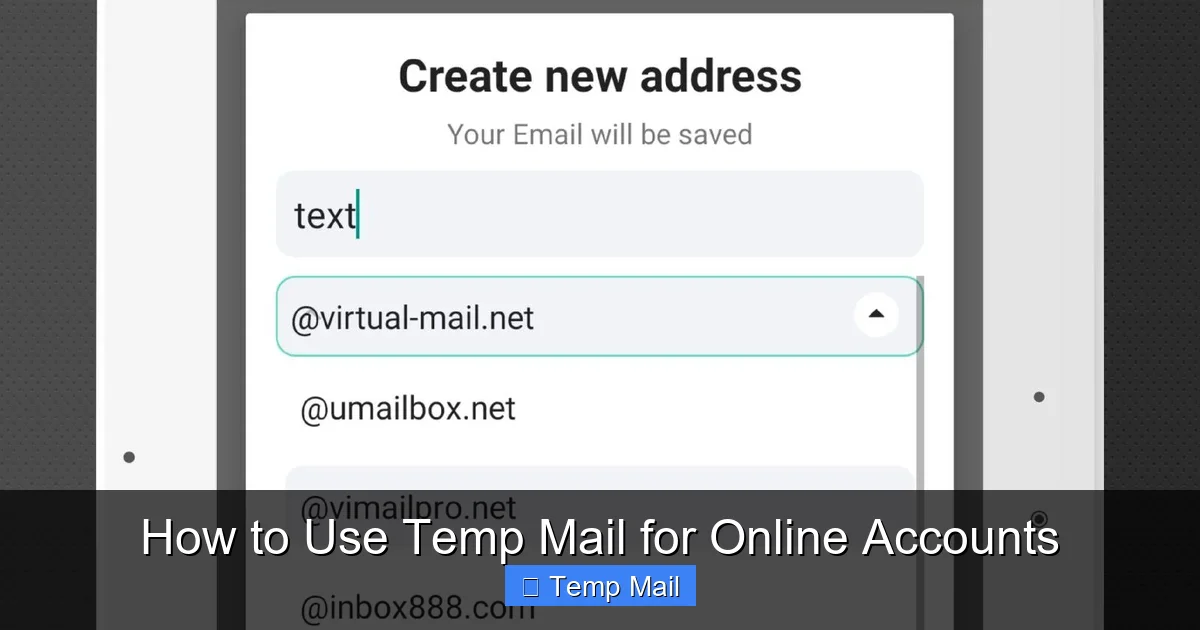
On the homepage, you’ll likely see your new temporary email address already generated and displayed prominently. It will look something like [email protected]. There is no “Create Account” button. It just exists. Copy this address to your clipboard. Most sites also give you a random, memorable “alias” you can use instead of the full address.
Navigate to the website where you want to create an account (e.g., a clothing store for a 15% off code). In the email field, paste your temp mail address. Fill in any other required details (name, password—use a unique one if you must, but for low-stakes sites, a simple password is fine). Complete the sign-up process and submit.
Immediately switch back to your temp mail provider tab. Within seconds, a new email should appear in the inbox list on the left. Click on it to open. The content will be the standard “Please verify your email address” message with a link or a confirmation code.
Once you’ve verified the account and accessed whatever you wanted (the discount code, the restricted content), your job is done. You can now close the temp mail tab. You can even clear your browser history for that session if you’re extra cautious. Do not attempt to log into that temp email address later. It will likely be gone, and that’s the point. The online account you created now exists, linked to a dead email address. You have successfully harvested its value without leaving a lasting trace.
1. Go to Temp-Mail.org. Copy the address shown. 2. Go to “AwesomeSoftware.com” and click “Start Free Trial.” 3. Enter the temp address, create a username/password, submit. 4. Switch back to Temp-Mail.org tab. Find the email from AwesomeSoftware. 5. Click the “Activate Trial” link inside. 6. A new tab opens saying “Your trial is active!” Close it. 7. Close the Temp-Mail.org tab. Done. You now have a 14-day trial. The software company will send trial expiry reminders to a dead address. No spam. No charge unless you actively log in later with that username/password and update the billing email.
Using temp mail is simple, but using it *wisely* requires a few rules of thumb. Following these will save you from headaches.
This cannot be stressed enough. Temp mail is for low-stakes, non-essential, one-way communication. Perfect candidates include:
NEVER use temp mail for:
Why? Because you will lose access to that temp mail address forever. If you forget your password for the account you signed up with it, you are permanently locked out. There is no “Forgot Password?” email coming.
If you find yourself using temp mail frequently, create a simple mental system. Use Provider A for all shopping-related sign-ups (newsletters, coupons). Use Provider B for all forum and community sign-ups. Use Provider C for testing and one-off downloads. This isn’t about security through obscurity; it’s about basic organization. If you need to check if you’ve already used a temp address for “Site X,” you can mentally recall which “bucket” you’d put it in. Since the inboxes are ephemeral anyway, this is more about your own mental model than any technical separation.
Always open your temp mail provider in a private browsing window. This ensures that no cookies or local storage from that session persist on your computer. When you close the window, all traces of that temp inbox session are wiped from your machine. It’s an extra layer of cleanliness, especially if you’re on a shared or public computer.
The inbox timer is ticking from the moment the address is generated. If you’re signing up for something and expect a verification email, do it immediately. Don’t generate a temp address, then go make coffee. By the time you return, the inbox and its emails may be gone. Some services are faster than others. Have your workflow ready: generate address, copy, paste into sign-up form, submit, and switch to the inbox tab.
Even with the best intentions, things can go wrong. Here are the most common issues with temp mail and how to navigate them.
This is happening more and more. Many popular platforms (like some social media sites, Google services, or major retailers) maintain dynamic blocklists of known disposable email domains. When you try to sign up, you might get an error message like “Please enter a valid email address” or “This email domain is not supported.”
Solution: If this happens, you have two choices. First, accept that this service values a “real” email for its own reasons (often to combat spam or fraud on their end) and either use your primary email (if you trust them) or walk away. Second, try a different temp mail provider. The blocklists target specific domains. If @tempmail.org is blocked, @maildrop.cc might still work. Have 2-3 provider sites bookmarked and try them in sequence. However, if a major site consistently blocks all disposable domains, it’s a strong signal that they are not an appropriate candidate for temp mail use.
Sometimes, you submit the sign-up, switch to the temp inbox, and nothing is there. The email is lost in cyberspace.
Solution: First, wait 60-90 seconds. Email delivery isn’t always instant. Check the “Spam” or “Junk” folder within the temp mail interface (some have them). If still nothing, refresh the inbox page. If it’s still empty, the sign-up likely failed on the website’s end (maybe they invalidated the email domain in real-time), or the email was rejected by their server. Your only recourse is to try generating a *new* temp address from the same or a different provider and attempt the sign-up again. If it fails repeatedly, the site is probably blocking disposable addresses.
The most dangerous pitfall is human error. You’re multitasking, you generate a temp address, and without thinking, you use it to sign up for your new online bank, your Amazon account, or your password manager.
Solution: Prevention is key. Develop a ritual. When you open a temp mail site, say to yourself, “This is for non-essential use only.” Before pasting the address, glance at the website you’re signing up for. Ask: “Is losing access to this account acceptable?” If the answer is anything but a resounding “Yes,” do not use the temp address. For critical accounts, use your primary, secure email and enable two-factor authentication (2FA).
You generate an address, get distracted for 20 minutes, and return to find the inbox empty and the address invalid. The verification email you were waiting for is gone.
Solution: Note the countdown timer on the temp mail site! Most display a clear timer showing how much longer the inbox will live (e.g., “28:41 remaining”). Treat it like a bomb. Complete your business within that window. If the timer is getting low (under 5 minutes) and you haven’t received the email, assume it’s not coming and either try a new address or abandon the sign-up.
Beyond simple sign-ups, temp mail can be a versatile tool in your digital toolkit.
Some websites or services restrict access based on country. While a VPN is the primary tool for this, some sites also use email domain restrictions. If a service is only available to, say, US residents and they block all non-.com/.net email domains, using a US-based temp mail provider (like 10MinuteMail.com, which often uses US domains) might trick a very basic filter. This is hit-or-miss and not a reliable method for serious geo-unblocking, but it can work for minor, low-stakes content gates.
Are you a developer, marketer, or website owner? Temp mail is invaluable for testing. Need to see what a “Welcome” email looks like? Use a temp address. Want to test if a “Password Reset” email triggers correctly? Use a temp address. You can script this or do it manually to verify email deliverability and content without spamming your real inbox or clients’ inboxes.
If you’re actively participating in a time-bound campaign—like a Reddit AMA, a contest, or a petition—and you want to use an email but don’t want that address tied to your identity long-term, use a temp mail address. It serves its purpose for the campaign duration and then dies, leaving no lingering digital association.
Some temp mail APIs exist that allow you to programmatically generate addresses and poll inboxes. This is for advanced users automating sign-ups for testing environments. Be extremely careful here, as automating sign-ups on live websites often violates their Terms of Service. This technique should be confined to your own development projects or authorized testing scenarios.
The digital world often demands an email address as a key to its doors. That doesn’t mean you have to leave your permanent, valuable key (your primary email) with every random attendant you meet. Temp mail is the master key—a simple, disposable token that opens the door, lets you grab what you need, and then dissolves, leaving no trace behind.
By now, you should be equipped to use this tool with precision. You know what it is, why it’s beneficial, and the exact steps to use it for any non-critical online account. You understand the cardinal rule—never for important things—and the best practices to keep your process clean and efficient. You can recognize the common pitfalls and have strategies to avoid them.
Adopting this habit is a small change that yields massive returns in the form of a cleaner, safer, and more private primary inbox. It’s a fundamental step in managing your digital hygiene. So the next time you see that email field on a site you’re only mildly curious about, pause. Open a new tab, generate a temp mail address, and proceed with confidence. You’ve got nothing to lose but the spam.
Yes, using a temporary email service is completely legal. These are legitimate services that provide a communication tool. However, using a temp mail address to commit fraud, evade bans, or engage in illegal activity is, of course, illegal. The tool itself is neutral; it’s the intent behind its use that matters.
Almost certainly not. Since the temp mail address and its inbox are permanently deleted after a short time, you will never receive a “Forgot Password?” reset link. This is why the golden rule exists: only use temp mail for accounts where permanent access is not required. For any account you might need to log into again, use your primary, secure email.
Generally, no. Two-factor authentication codes are time-sensitive and require immediate access. The short lifespan and potential delivery delays of temp mail make it unreliable for 2FA. Furthermore, reputable services that offer 2FA expect you to use a permanent, secure email or an authenticator app. Never rely on a temp address for 2FA-enabled accounts.
For its intended purpose, it provides a layer of privacy by disconnecting the sign-up from your real identity. However, the security of the email content itself varies by provider. Assume any email sent to a temp mail address could potentially be viewed by the service provider. Therefore, never use it for sensitive information like password reminders, financial documents, or private messages. Its security is about anonymity, not encryption of content.
There is no single “best” provider, as they come and go. Look for services with a clean interface, minimal intrusive ads, a clear countdown timer, and a reasonable inbox retention period (10-60 minutes is standard). Temp-Mail.org and 10MinuteMail.com are long-standing, reliable options. It’s good practice to have 2-3 bookmarked providers in case one is blocked by a website you’re trying to sign up for.
It varies by provider, but the standard is between 10 minutes and 1 hour from the moment the address is generated. Some may offer slightly longer periods (up to 24 hours) but this is less common. The countdown timer is always displayed on the provider’s site. Once the time expires, the address is recycled and all emails are permanently deleted from the server.
অনলাইন নিউজপেপার থিম। এই থিমটি দিয়ে আপনারা বাংলা এবং ইংরেজি নিউজপেপার সাইট তৈরি করতে পারবেন । বার্তা ও বাণিজ্যিক কার্যালয়: ৭১, মতিঝিল, ঢাকা-১০০০। সম্পাদক : মো আসাদুজ্জামান আমানউল্লাহ । মোবাইল : ০১৭০০-০০০০০০ । ইমেইল : [email protected] ।
All rights reserved © 2019 themesdealer.Com












