Image for Temp Mail for Privacy-focused Users


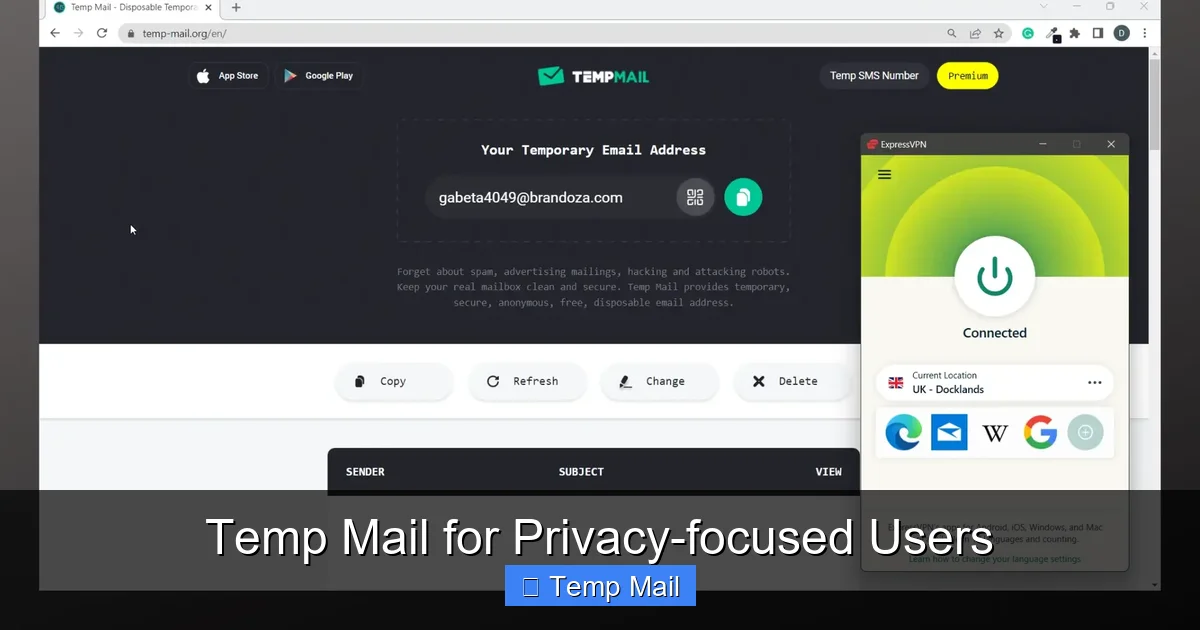
Tired of your primary email becoming a spam magnet? Temp mail offers a powerful, simple solution for privacy-focused users. By providing a disposable, anonymous address for online sign-ups and one-time interactions, it severs the direct link between your activities and your true identity. This essential tool helps you avoid data harvesting, prevent unwanted tracking, and maintain a clean, secure primary inbox—putting you firmly back in control of your personal information.
Let’s have a real talk about your email address. That simple string of characters—[email protected]—is arguably the single most common key to your digital life. It’s the username for social media, the login for cloud storage, the contact for your bank, and the recipient of countless newsletters you never read. But here’s the uncomfortable truth: every time you paste that address into a website’s sign-up form, you are handing over a piece of your digital identity. That piece is then copied, shared, sold, and sometimes, carelessly leaked.
For privacy-focused users, this is a fundamental problem. The modern internet economy is built on data collection, and your email is a golden ticket. It’s used to build profiles about your interests, your location, your purchasing habits, and your online behavior. Data brokers buy and sell these email-linked profiles. A single sign-up for a free e-book can land you on a dozen marketing lists. A data breach at a small forum you visited once can expose your address to spammers and scammers for years. Your primary inbox becomes a battlefield, a constant stream of promotions, phishing attempts, and trackable links, all because you needed to access a simple tool or resource. This is where a conscious shift in strategy is needed. We must stop treating our primary email as a universal key and start treating it like a precious, private asset. This is the core philosophy behind using a temp mail service.
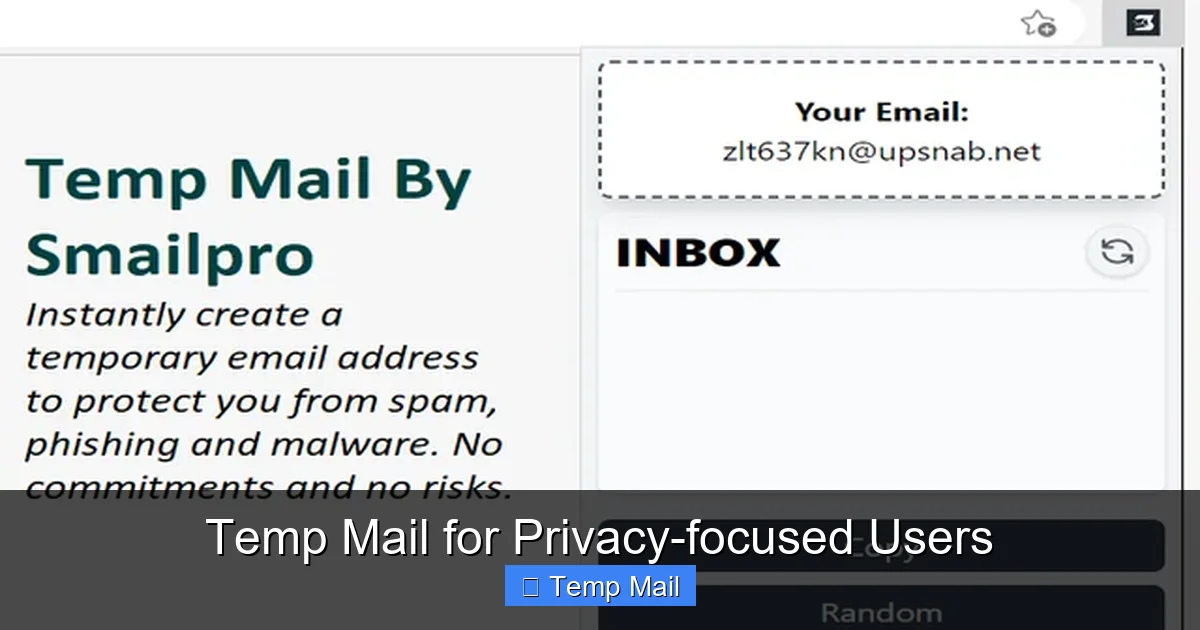
At its surface, temp mail (also called disposable email, throwaway email, or fake email) is a service that provides you with a random, temporary email address. You visit a website, it generates an address like [email protected], and you use that anywhere you’re asked for an email but don’t want to use your real one. You can then check the inbox for that single address via a web interface on the same site, receive the verification code or link, complete your task, and then… walk away. The address and its contents usually vanish after a short time—often 10 minutes to a few hours.
Visual guide about Temp Mail for Privacy-focused Users
Image source: addons.mozilla.org
But for privacy users, the value isn’t just in the “disposable” part; it’s in the architectural separation it creates. It establishes a firewall between your persistent identity and transient online activities. The “temp” in temp mail represents a deliberate, temporal boundary. It’s a digital persona that lives only for the duration of a specific, low-stakes interaction and then is securely erased from existence. This contrasts sharply with your primary email, which is permanent, persistent, and tied to your real name, phone number, and often, your financial life. Using a temp mail service is an act of digital compartmentalization, a best practice in operational security (opsec) for the everyday internet user.
Understanding the simple mechanics reinforces why it’s safe for its intended use. Reputable temp mail providers don’t require registration. You simply load their webpage. Their server instantly:
When an email is sent to that address, it lands in that isolated inbox. You refresh the page to see it. There is no connection to you personally. No IP logging tied to an account (though the provider *could* see the IP that accessed the inbox, which is why choosing a trustworthy, no-logs provider is critical). Once the timer expires or the inbox is cleared, that address is purged from the system and recycled into the pool of available addresses. The trail goes cold.
Now, let’s move from theory to the concrete, daily benefits that make temp mail a non-negotiable tool in the privacy-conscious user’s toolkit.
Visual guide about Temp Mail for Privacy-focused Users
Image source: imag.malavida.com
Spam isn’t just annoying; it’s a vector for phishing and malware. The primary way spammers get your address is from companies you, yourself, gave it to. When you use your real email to sign up for a discount offer or a free app, that company’s “partner” list is suddenly populated with your address. If they suffer a breach (and many small sites do), your email is now in a hacker’s hands. Temp mail breaks this cycle at the source. The spam goes to the disposable address, which vanishes in an hour. Your primary inbox, the one linked to your bank and family, remains a sanctuary.
Data brokers like Acxiom, Experian, and countless smaller firms assemble extensive profiles on individuals. A major input for these profiles is email addresses tied to online activity. Every form you fill out, every newsletter you subscribe to, adds a data point. By consistently using a temp mail for any non-essential, commercial interaction, you flood the data broker ecosystem with dead-end, untraceable leads. You become a ghost in their machine. You’re not opting out of their system; you’re ensuring your primary identifier never enters it in the first place.
Ever notice how an ad for something you just looked at on one site seems to follow you everywhere? Much of this is powered by “login-based” tracking. When you log into a service (like Google or Facebook) across multiple websites, that service can link your activity. Your email address is the common thread. By using a unique, disposable temp mail for each minor site or forum, you prevent these platforms from easily linking that activity back to your main, authenticated identity. It fragments your digital footprint, making it far harder to build a complete, trackable picture of “you.”
Want to download a sketchy-looking plugin or test a questionable website’s “free trial” that requires an email? Use a temp mail. It creates a perfect, risk-free sandbox. You can receive the download link or verification code without any fear that the site will later spam you, sell your data, or attempt to social-engineer you using details from that account. If the site seems malicious after the fact, you simply abandon the temporary inbox. There is zero long-term exposure.
Not all temp mail services are created equal. Some are littered with ads, slow, or have questionable practices. For a privacy-focused user, provider selection is a critical security decision. Here’s what to look for.
First, always use a service that serves over strict HTTPS. This encrypts the connection between your browser and their server. Second, actually read the privacy policy. Does it state they do not log IP addresses or inbox contents? Do they claim to not share data with third parties? A clear, transparent policy is a good sign. Avoid providers that are obviously ad-supported with pop-ups and misleading download buttons—these often have lower security standards and may inject trackers themselves. Look for established names in the privacy community (e.g., Temp-Mail.org, 10MinuteMail.com, Guerrilla Mail). The domain itself matters; avoid free subdomains from sketchy hosting providers.
Steer clear of services that:
– Require you to disable your ad-blocker.
– Have “Download Now” buttons that are actually ads for unrelated software.
– Are constantly down or slow (indicating poor security/maintenance).
– Have no clear contact or about page.
– Are based in countries with terrible data privacy laws and no transparency.
Having the tool is only half the battle. Using it with a clear strategy maximizes its privacy benefits and minimizes any potential friction or mistakes.
Your new mental model should be: “If this website/service is not critical to my financial security, primary identity, or long-term communication, it gets the temp mail.” This includes:
– Downloading a free PDF or whitepaper.
– Signing up for a one-time discount or coupon.
– Registering on a forum you might visit once or twice.
– Creating an account on a news site to bypass a paywall for a single article.
– Testing a new app or service.
– Any site where the primary value is the content/resource, not the ongoing account relationship.
1. Preparation: Keep your preferred temp mail provider site open in a browser tab or bookmark it.
2. Sign-Up: When a site asks for an email, generate a new address from your provider. Copy it.
3. Paste & Proceed: Paste the temp address into the form. If you need to pick a username/password, do so. Submit.
4. Switch & Refresh: Switch back to your temp mail provider tab and hit refresh. The verification email should appear within seconds or minutes.
5. Complete & Abandon: Copy the code or click the link, return to the original site, and complete the process. Once done, you can close the temp mail tab. Do not bookmark it. Let it expire.
For the ultra-paranoid (or those with specific threat models), consider using a separate browser profile or even a different browser (like Firefox for main life, a fresh Chromium profile for temp mail activities). This adds a layer of separation against sophisticated browser fingerprinting that might try to link your temp mail session to your main browsing session via cached data or extensions.
Once you’ve mastered the basics, temp mail can be part of more sophisticated privacy strategies.
Privacy isn’t just about hiding; it’s about managing identities. You might use a specific temp mail provider for all your “hobbyist” forum accounts (e.g., model building, gaming), another for “deal-hunting” and coupon sites, and reserve your primary email for “personal” (family, close friends) and “financial” (bank, official government) matters. This creates clear, non-overlapping silos. If one hobby forum is breached, only the disposable address associated with that silo is compromised, not your core identity.
If you’re a journalist, activist, or business researcher needing to anonymously sign up for competitor newsletters, industry reports, or restricted forums to gather information, a temp mail is your first line of defense. It allows you to receive the materials without leaving a traceable credential tied to your real name or organization.
Developers and QA testers use temp mail services extensively to test user registration flows, password reset emails, and notification systems without polluting real user databases or needing to manage hundreds of test accounts. It’s a standard tool in the privacy-respecting developer’s workflow.
Understanding the boundaries of temp mail is as important as knowing its strengths. Using it incorrectly can lead to real problems.
This is the most important rule. Never, ever use a temp mail for:
– Your primary email account (Gmail, Outlook, ProtonMail).
– Banking, PayPal, Venmo, or any financial service.
– Government services (tax, benefits, licenses).
– Primary social media accounts (Facebook, Twitter/X, Instagram).
– Any service where account recovery is vital. If you forget your password and the reset link goes to an address that expired 30 minutes after you signed up, you are permanently locked out.
Temp mail protects your email identifier, but it does not encrypt your general internet traffic or hide your IP address from the websites you visit. For full anonymity while browsing to the temp mail site itself and to the site you’re signing up for, you should use a reputable VPN or Tor. Think of it this way: temp mail hides your *identity* from the recipient, but a VPN hides your *location and network* from everyone.
You are trusting the temp mail provider not to log the emails passing through their system. While reputable ones claim no logs, you must take this on faith. For highly sensitive activities, even a temp address might be too risky if the provider is malicious. In such cases, setting up your own disposable email domain with a privacy-focused host (like ProtonMail or Tutanota) is a more secure, though more complex, alternative.
Many websites and services actively block known temp mail domains. You might try to sign up and get an error message like “Invalid email domain.” This is a cat-and-mouse game. If this happens, you may need to try a different provider or, for that specific service, reluctantly use your real email (and then heavily filter/block that sender later).
In an online world where your email address is treated as a commodity, adopting a temp mail strategy is a powerful, practical act of rebellion. It’s not about being paranoid; it’s about being prudent. It’s about recognizing that not every interaction needs to be anchored to your permanent self. By consciously segregating your digital life—using a robust, encrypted primary email for your genuine, important connections and a fleet of anonymous, ephemeral addresses for the noisy, commercial, and transient web—you rebuild walls that have been systematically torn down.
The habit is simple: before you hit “submit” on any non-essential form, pause. Ask: “Does this entity *need* my real email?” In 90% of cases, the answer is no. That pause is your moment of choice. Choose the temp mail. Choose the temporary address that leaves no trace. With each use, you reduce your attack surface, you starve the data brokers, and you reclaim the inbox that should be yours alone. Privacy is not a product you buy; it’s a practice you maintain. And temp mail is one of the simplest, most effective tools in that practice. Start using it today, and feel the immediate difference in your digital peace of mind.
Yes, using a reputable temp mail service is completely legal. It is safe for its intended purpose of receiving verification emails and one-time links. However, it is not safe for sensitive transactions like banking, and you should never use it for fraudulent or illegal activities.
Technically, yes, any email service provider can read emails passing through their servers. This is why choosing a provider with a clear, strict no-logs policy is crucial. Reputable services do not store or access your emails after the inbox expires. For maximum security, avoid sending sensitive personal information via any temp mail.
This is common. If a service you genuinely need long-term access to blocks disposable domains, you have two choices: use your primary email (and then use strong filters to manage their emails) or, if possible, see if they offer an alternative login method like a phone number or social media OAuth.
This shouldn’t happen if the provider properly purges the address. If a company continues to send emails to an address that should be dead, it means they are using a poor-quality, non-compliant temp mail provider or have a broken email system. The emails will simply bounce or be discarded by the provider’s server once the address is recycled.
No, by definition, temp mail is temporary. Some services offer “long-lived” disposable addresses that last weeks or months, but these are less common and blur the line between disposable and permanent. True privacy-focused users should stick to short-lived (hourly/daily) addresses to maintain the core benefit of ephemerality.
Yes, most temp mail services are web-based and work perfectly in mobile browsers. Some even have dedicated mobile apps for convenience. The workflow is the same: generate an address in the app/browser, copy-paste it into the mobile app you’re signing up for, and switch back to check the verification email.
অনলাইন নিউজপেপার থিম। এই থিমটি দিয়ে আপনারা বাংলা এবং ইংরেজি নিউজপেপার সাইট তৈরি করতে পারবেন । বার্তা ও বাণিজ্যিক কার্যালয়: ৭১, মতিঝিল, ঢাকা-১০০০। সম্পাদক : মো আসাদুজ্জামান আমানউল্লাহ । মোবাইল : ০১৭০০-০০০০০০ । ইমেইল : [email protected] ।
All rights reserved © 2019 themesdealer.Com












