Image for Temporary Email Services Without Registration


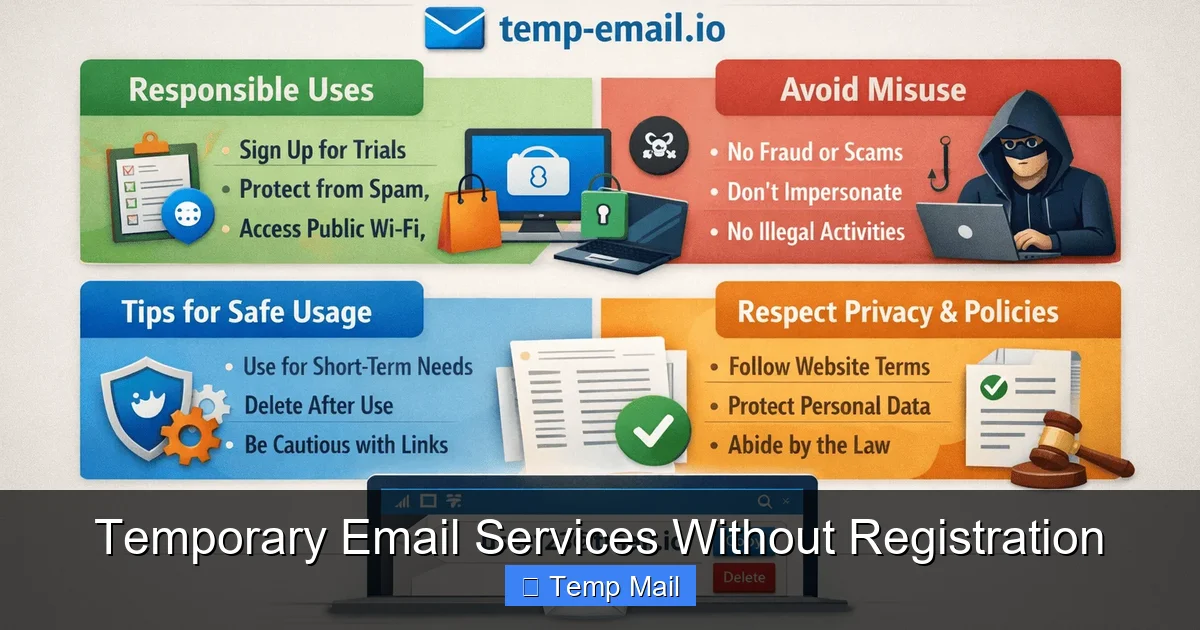
Temporary email services without registration offer instant, disposable inboxes to protect your primary email from spam, verify accounts, and test websites—all without creating an account or sharing personal details. These tools are fast, free, and essential for digital privacy, but they come with limitations like short lifespans and blocked access to critical services. Use them wisely for low-stakes tasks, not for important communications.
Ever felt that pang of reluctance when a website asks for your email just to download a PDF or peek at an article? You know that handing over your primary address means it’s likely to be sold, shared, or bombarded with newsletters you never wanted. It’s a modern digital nuisance. But what if you could just… get a throwaway email? Right now. No fuss, no forms, no “please confirm your subscription” dance. That’s the promise of temporary email services without registration. They are the digital equivalent of a prepaid burner phone—immediate, anonymous, and designed to be discarded. In this deep dive, we’ll unpack exactly how these services work, why they’re a privacy essential, their critical limitations, and how to use them like a pro without getting caught out.
Let’s start with the core concept. A temporary email service is a web-based platform that provides you with a random, disposable email address. The “without registration” part is the game-changer. You don’t need to:
You simply visit the website, and an address like [email protected] is generated for you. That’s it. You can immediately start using it to receive emails. The inbox for that address is usually displayed right there on the same page, often refreshing automatically. There’s no “logging in.” Anyone who knows the full email address can view the inbox. Once the address expires (after a set time, like 10 minutes, 1 hour, or 1 day) or the session ends, it’s gone forever. The mailbox is wiped, and the address is recycled for the next user.
These services operate on a simple but clever technical model. The provider maintains a large pool of domain names (like tempmail.demo, 10minutemail.com) and a massive, dynamic database. When you visit, their system:
Because there’s no persistent user account, there’s no need for a login. The “key” to the inbox is simply knowing the full, randomly generated email address, which you are shown immediately.
The appeal isn’t just convenience; it’s about reclaiming control. Here are the primary reasons millions use these services daily.
Visual guide about Temporary Email Services Without Registration
Image source: techdaring.com
This is the numero uno benefit. That free ebook you’re dying to read? The forum you want to lurk on for a day? The “exclusive” webinar that requires an email? Use a temp address. Any future marketing emails, data leaks involving that site, or “we’ve updated our terms” blasts get delivered to a ghost inbox that self-destructs. Your primary Gmail, Outlook, or iCloud account remains pristine, used only for people and services you truly trust. It’s a firebreak for your digital reputation.
The web is littered with “email walls”—forms that block content until you submit an address. This includes:
A temp email lets you, in essence, pay with anonymity. You get the content or tool you need instantly, and the gating company gets an email that will bounce in an hour. It democratizes access to information that’s unfairly locked behind a lead-capture form.
Developing an app and need to test your user registration flow? A temp email is perfect. Want to create a throwaway account on a social platform or gaming service just to check it out? Use a temp address. It allows for rapid, low-friction sign-ups without polluting your real identity. For developers and QA testers, it’s an indispensable tool in the workflow.
From the recipient’s perspective, the email comes from an anonymous, unidentifiable source. There is no link back to your name, your other accounts, or your IP address (usually). The service provider sees the email you receive, but if you choose a service based in a privacy-friendly jurisdiction with a clear no-logs policy, that trail is minimal. For casual browsing where you don’t want to be added to a marketing list tied to your real identity, this provides a solid layer of operational privacy.
If it sounds too good to be true, remember it has trade-offs. Understanding these limitations is non-negotiable for safe usage.
Visual guide about Temporary Email Services Without Registration
Image source: webtechsolution.org
The defining feature is also its biggest flaw. That email address and all its contents vanish. If you need to:
…you are out of luck. It’s permanently lost. This makes temp mail utterly unsuitable for anything you might need to reference again.
Since there is no password, anyone who guesses or discovers your temporary email address can view your inbox. This is a massive privacy and security flaw for sensitive information. Never, ever use a temp email for:
The inbox is a public waiting room, not a locked mailbox.
Google (Gmail), Microsoft (Outlook/Hotmail), Facebook, Twitter, Instagram, LinkedIn, and virtually all financial institutions (banks, PayPal, crypto exchanges) actively maintain and update blocklists of known temporary email domains. If you try to sign up with [email protected], you will almost certainly get an error message: “This email address is not valid. Please provide a different email address.” They do this to prevent fraud, spam, and abuse. You cannot use these services for accounts where trust and longevity are required.
Almost all no-registration temp mail services are receive-only. You cannot compose and send emails from that address. Its sole purpose is to be a target for incoming messages. If you need to send an anonymous email, you need a different, often more complex, tool.
Because they are anonymous, these services are magnets for abuse: signing up for illegal forums, sending spam, creating fake accounts for harassment. This means the domains themselves can get blacklisted by other email providers (like Yahoo or AOL). An email you expect from a legitimate service might bounce because the temp mail domain has a poor reputation.
Not all temp mail providers are created equal. With dozens available, some are ad-filled nightmares, others are slow, and a few are actually well-engineered. Here’s what to look for.
Visual guide about Temporary Email Services Without Registration
Image source: atempmail.com
Note: The landscape changes, but these have established reputations for reliability and speed.
Always visit the site directly to check its current state and ad load.
Let’s make it concrete. Here’s exactly how you’d use this tool for a common task: downloading a gated PDF.
That’s it. The marketing company has an email address that no longer exists. They can’t email you again. You got your file. Your primary inbox is untouched.
Using a tool designed for anonymity inevitably brushes against some ethical and legal boundaries. It’s crucial to understand where the line is.
Yes, absolutely. Creating and using a disposable email address is not illegal in any jurisdiction. The services themselves operate in a legal gray area but are generally protected as communication tools. The legality question isn’t about the tool, but about how you use it.
This is the safe, intended zone. Using a temp mail to:
…is ethically neutral and legally sound. You are using the service as a spam filter and privacy shield.
Crossing these lines can lead to account bans, civil liability, or even criminal charges:
The Golden Rule: If the service, account, or transaction is important, valuable, or long-term, do not use a temporary email. It’s a tool for disposable, low-stakes interactions.
The ecosystem is evolving. Here’s where it’s headed and what else you can use.
We’re seeing a trend toward “premium” features even in free tiers:
Sometimes a simple disposable inbox isn’t enough. Consider these:
The choice depends on your threat model: total anonymity for a 10-minute task (temp mail), controlled anonymity for a 6-month trial (alias), or simple organizational filtering (plus addressing).
Temporary email services without registration are a powerful, simple weapon in the fight for digital hygiene and privacy. They are the perfect tool for the countless minor interactions that clutter our online lives. They let us sample services, download assets, and verify accounts without leaving a permanent, marketable trail. Their value in spam prevention alone is immeasurable.
However, they are a specialized tool with sharp edges. Their public nature, short lifespan, and universal blocking by major platforms mean they must be used with clear intent and understanding. They are for the disposable, the temporary, the low-stakes. They are not a home for your bank statements, your social media passwords, or your professional correspondence.
The savvy digital citizen knows how to wield this tool. They keep a tab or two of their favorite no-registration service bookmarked for quick access. They use it without hesitation for that ebook or that forum peek. But for anything that matters—anything that requires recovery, trust, or longevity—they reach for a secure, permanent, and well-guarded primary email address. Use temp mail to protect your main inbox, not to replace it. Wield it with purpose, understand its limits, and enjoy a cleaner, more private digital life.
They provide anonymity from the *recipient* of the email, as the address is random and not linked to your identity. However, the service provider itself can see the emails you receive. For true anonymity, choose a provider with a strict no-logs policy based in a privacy-friendly jurisdiction, but remember, absolute anonymity is very difficult to achieve online.
Almost never. The vast majority of these services are receive-only. Their entire design is to provide a disposable *inbox*. A very small number, like Guerrilla Mail, offer a limited, one-time “send” function, but this is rare and often heavily restricted to prevent abuse.
No. Major platforms like Facebook, Google, Twitter, Instagram, and all major banks and financial institutions maintain updated blocklists of all known temporary email domains. Their signup systems will actively reject an email from services like 10MinuteMail or Temp-Mail.org. They are designed for low-trust, temporary use cases.
They are permanently and irreversibly deleted from the service provider’s servers. The email address is then recycled and may be assigned to a completely different user in the future. There is no way to recover those emails once the timer runs out or you close the browser session.
Absolutely not. You should never use a temporary email for any transaction involving payments, receipts, shipping updates, or account passwords. You will lose access to order confirmations, return labels, and password reset links. Use a permanent, secure email address for all e-commerce and financial activities.
Look for a clean, ad-light interface (vs. one littered with deceptive download buttons), clear information about email lifespan, multiple domain options, and a transparent privacy policy that states they do not log or sell your received emails. User reviews on forums like Reddit can also indicate current reliability and ad-load.
অনলাইন নিউজপেপার থিম। এই থিমটি দিয়ে আপনারা বাংলা এবং ইংরেজি নিউজপেপার সাইট তৈরি করতে পারবেন । বার্তা ও বাণিজ্যিক কার্যালয়: ৭১, মতিঝিল, ঢাকা-১০০০। সম্পাদক : মো আসাদুজ্জামান আমানউল্লাহ । মোবাইল : ০১৭০০-০০০০০০ । ইমেইল : [email protected] ।
All rights reserved © 2019 themesdealer.Com












